
What’s new
Here’s an overview of some of the key updates for Graphics. For full details, check out the release notes.
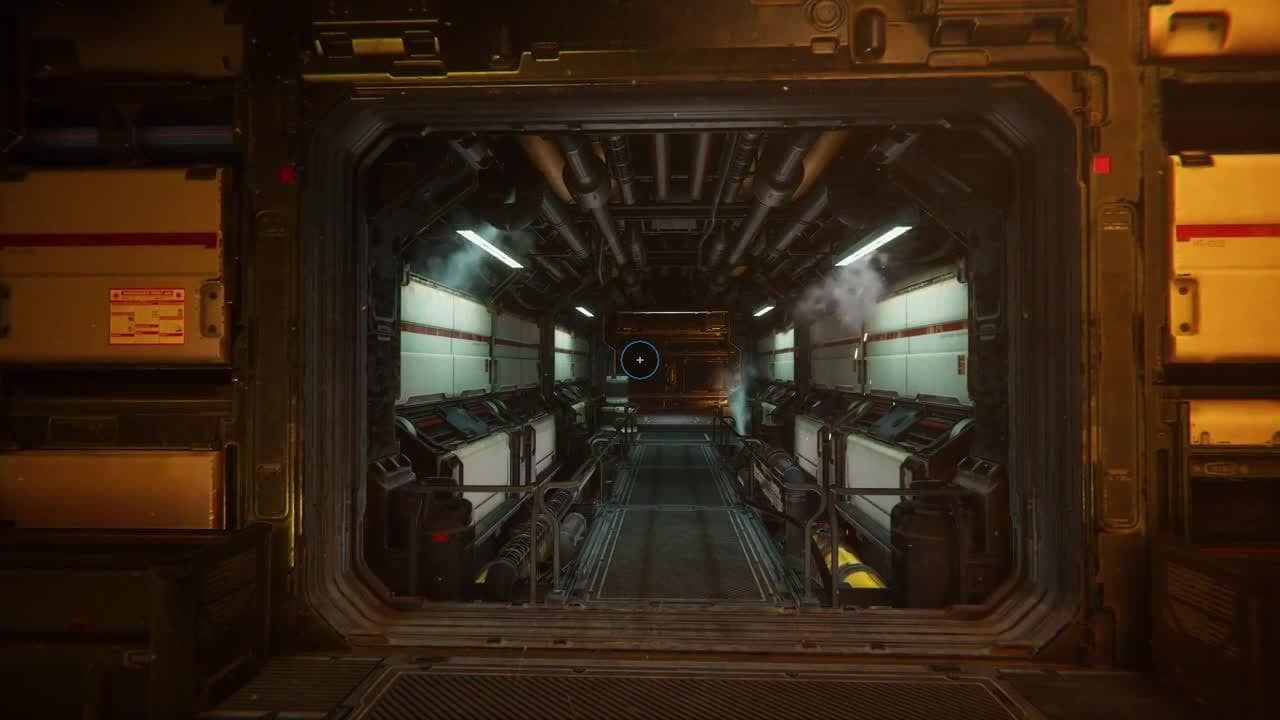
High-Definition Render Pipeline updates
Our High-Definition Render Pipeline (HDRP) now includes an Arbitrary Output Variables (AOV) API, allowing you to output material properties only, lighting only, depth buffer and other passes from the scene. This API is used in the Recorder, which makes it easy to export specific outputs for rendering with HDRP.
We’ve also added Dynamic resolution, which allows you to scale the resolution at which the world is rendered, with hardware dynamic resolution support. This gives you better performance compared to software dynamic resolution.
The MatCap debug view mode replaces the material and lighting of objects with a simple environment texture. This mode is useful for navigating and getting a sense of the Scene without having to set up the Scene lighting. For example, if you are editing a dark area, like the inside of a cave, it would otherwise be difficult to navigate with low lighting.
The new Ambient Occlusion effect is a screen-space algorithm that gives you better quality, especially for small-scale details, while providing good performance. There are several options for you to set up the optimal performance/quality settings for your project.
Finally, we included support for VR projects (Preview) on Windows 10 and Direct3D11 devices.
HDRP updates for VR projects
HDRP now supports VR projects (Preview) on Windows 10 and Direct3D11 with VR Single Pass instancing.
Single-pass instancing is recommended for performance. VR projects support every HDRP effect, including volumetrics, screen-space reflection, decals, and deferred rendering. VR Double Wide mode has been removed from HDRP.

HDRP updates for Shader Graph
In Shader Graph, render states are now in the Material. This replicates render states that were on Materials, so now you can use the same Shader Graph and choose the Material if it is opaque or transparent; previously, you had to make a copy of your graph to make variants.
This adds more control at the material level so that you don’t need to make as many graph permutations. You also have more control of the ZTest, ZWrite, and Cull Mode for transparent materials, which is useful for doing effects like displaying an object behind a wall. We’ve also added samples for hair, fabric, and decal master nodes.
As well, on Package Manager’s HDRP page you can import the Shader Graph Sample to see typical uses for the Hair, Fabric, and Decal Master Nodes in a sample Scene.

Shadow Layers
The Shadow Layers option for the Light Layers system allows you to decouple shadows from lighting. Enable this feature in the Shadow Map setting in order to have GameObjects cast shadows even though they do not visibly receive light and vice versa. You can also use a Shadow Tint to change the shadow color and give you more freedom as an artist.
Pre-exposure for emissive decals gives you control over how much you want HDRP to expose the emissive part of the decal as well as how much of an effect the exposure of the Camera has. This is similar to the HDRP Lit Shader.
Lighting updates
Lightmap denoising now works on all Editor platforms, regardless of the GPU manufacturer. We have also made a fundamental change in how you configure the baking – any object can contribute to a global illumination bake, regardless of whether it’s probe-lit or lightmapped. This opens up new possibilities for probe workflows, which we will continue to improve. In addition, this release includes major speed improvements, especially during lighting iterations with GPU Lightmapper.
Lightmapping now also supports the new cross-platform Intel Open Image Denoise library, which is an AI-based denoising filter. In Unity, it will improve your lightmapping workflow and lightmap quality by post-processing your lightmaps. This produces smooth, noise-free lightmaps that use far fewer samples. For details, watch our Unity GDC 2019 talk on the subject.
New 2D Lights and Pixel Perfect in LWRP
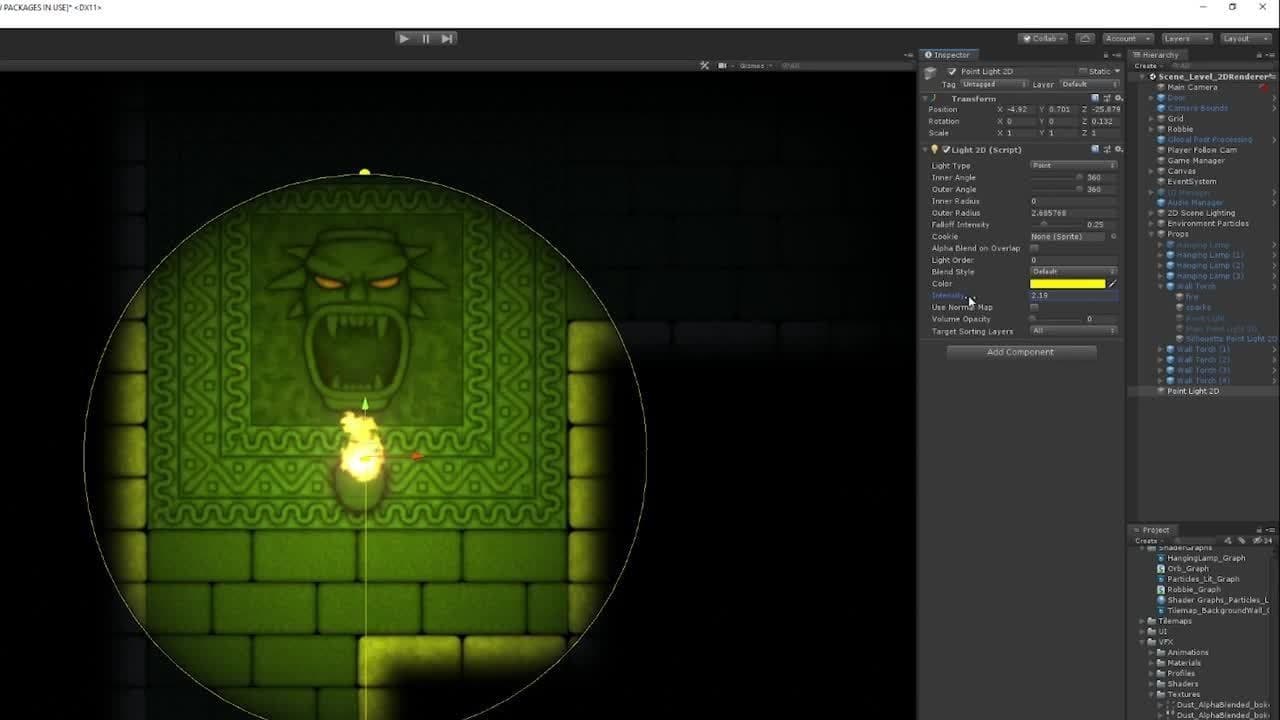
We’ve updated the Lightweight Render Pipeline (LWRP) with the experimental 2D Renderer, which now contains 2D Pixel Perfect and 2D Lights.
The new 2D Lights enable you to easily enhance visuals directly in 2D projects without having to use 3D lights or custom shaders.
The new 2D Sprite-lit material allows Sprites to have a secondary texture (Normal map) to react more realistically to light conditions. The secondary texture now works with the SpriteRenderer, support for Sprite Shape and Tilemap renderers coming later in the year.
There are different types of lights available such as Point lights, Sprite-based lights, Parametric, Global, and Freeform lights. They feature easy-to-configure parameters like light colors, intensity, falloff, and blending effects.
You can learn more about 2D lighting in this talk from GDC 2019.
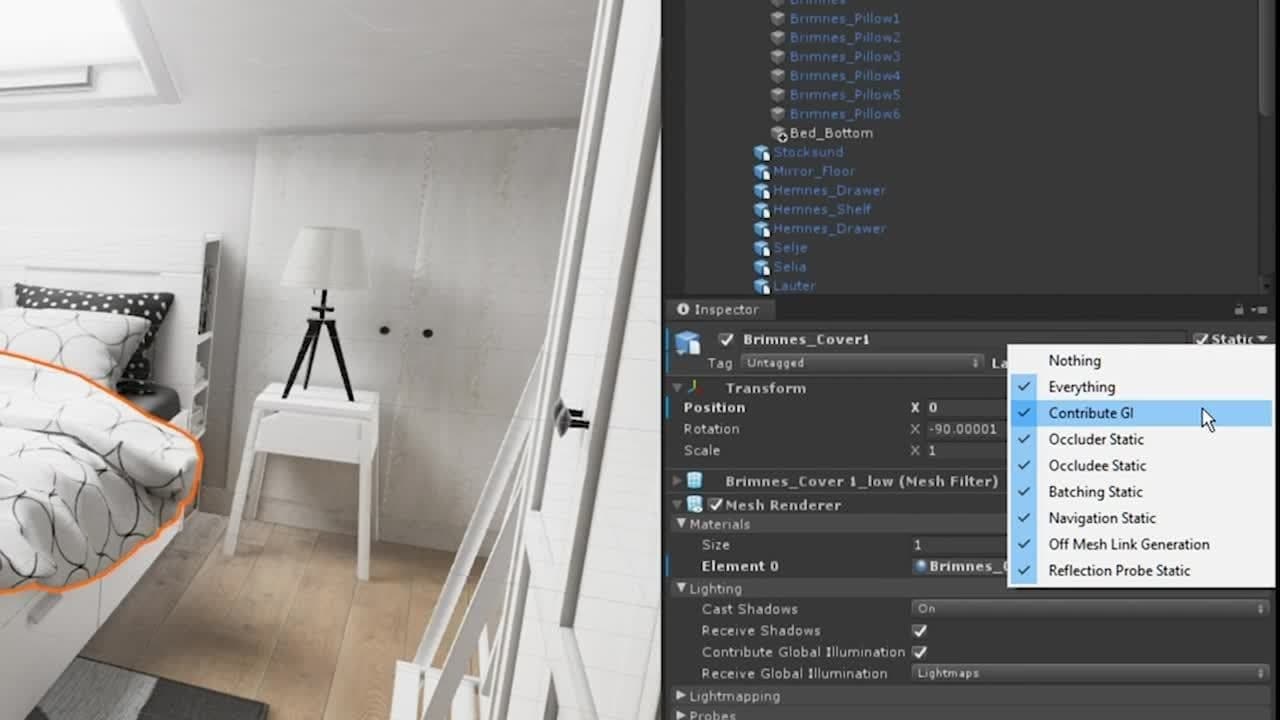
Probe-Lit GI Contributors
We have changed the terminology for objects that are Lightmap Static. From now on, they are “Contribute GI” instead. A new drop-down menu on mesh renderers, skinned mesh renderers, and terrains lets you choose if the object should get GI from lightmaps or from Light Probes.
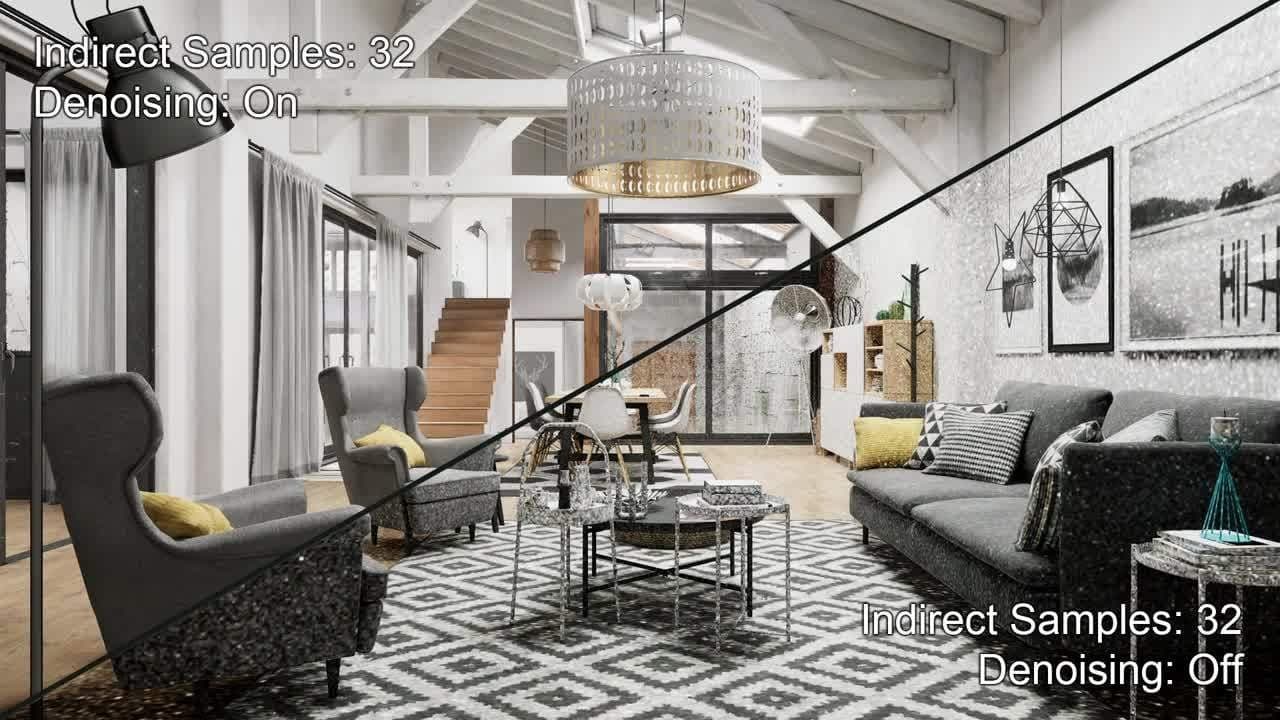
NVIDIA OptiX AI Denoiser for lightmaps upgrade
The NVIDIA OptiX AI Denoiser provides noise-free lightmaps that are up to 10x faster than before. The updated version allows easier, more intuitive workflows and faster iteration for artists. Additionally, you get better performance, lower memory usage, and support for NVIDIA Turing GPUs.

Intel® Open Image Denoise
We’ve added Intel® Open Image Denoise, which provides fast iterations on all Editor platforms. We’ve also added sophisticated sampling methods to improve baking iteration speed, such as multiple importance sampling from offline rendering. This gives you clean bakes when using HDRI environments. You now have more control of lightmap layouts because you can specify the number of lightmaps you want, with additional options for artists.
Visual Effect Graph
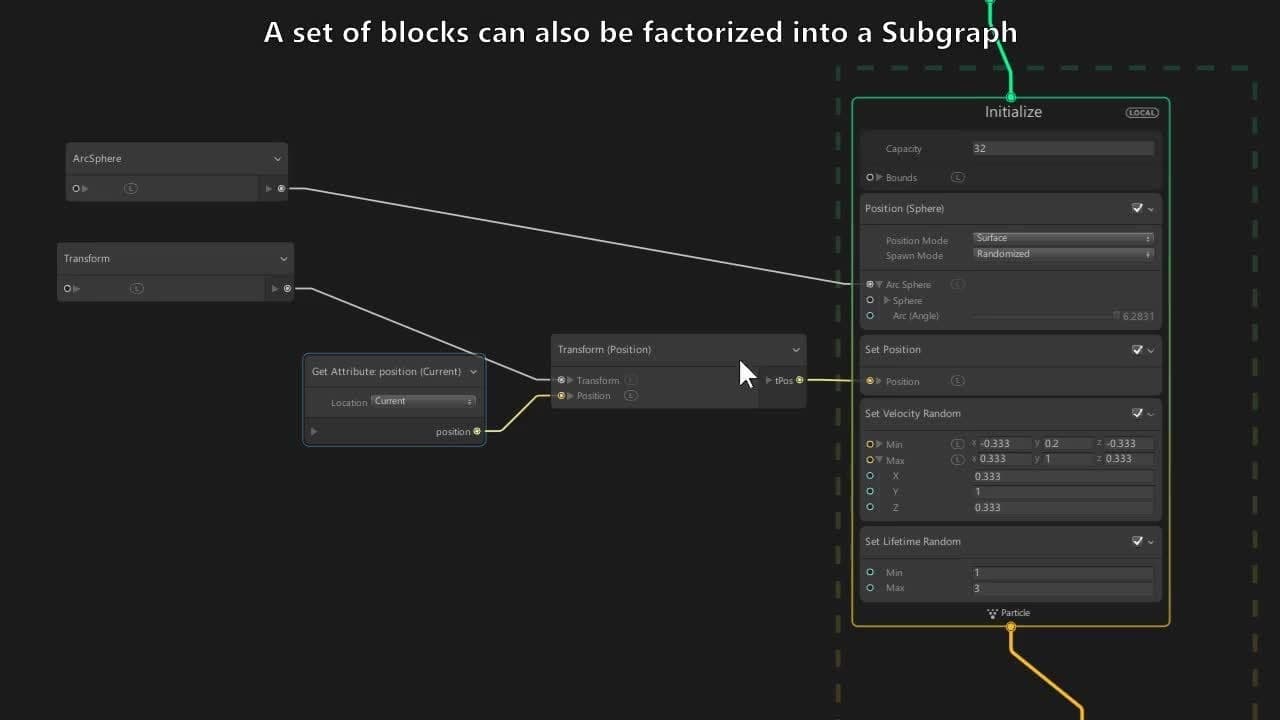
We have added subgraphs to Visual Effect Graph to better organize your complex graphs. You can share, combine, and reuse subgraphs for blocks and operators, and also embed complete VFX within VFX.
As well, Visual Effect Graph now has better integration with HDRP, and HDRP now also pulls it in by default. The new features specific to HDRP are: render queue selection, exposure control, and distortion output.
We’ve also added these new rendering features: gradient mapping of alpha texture, new primitives to optimize your effects (triangles, octagons), and flipbook interpolation with a motion vector map.
Shader Graph improvements
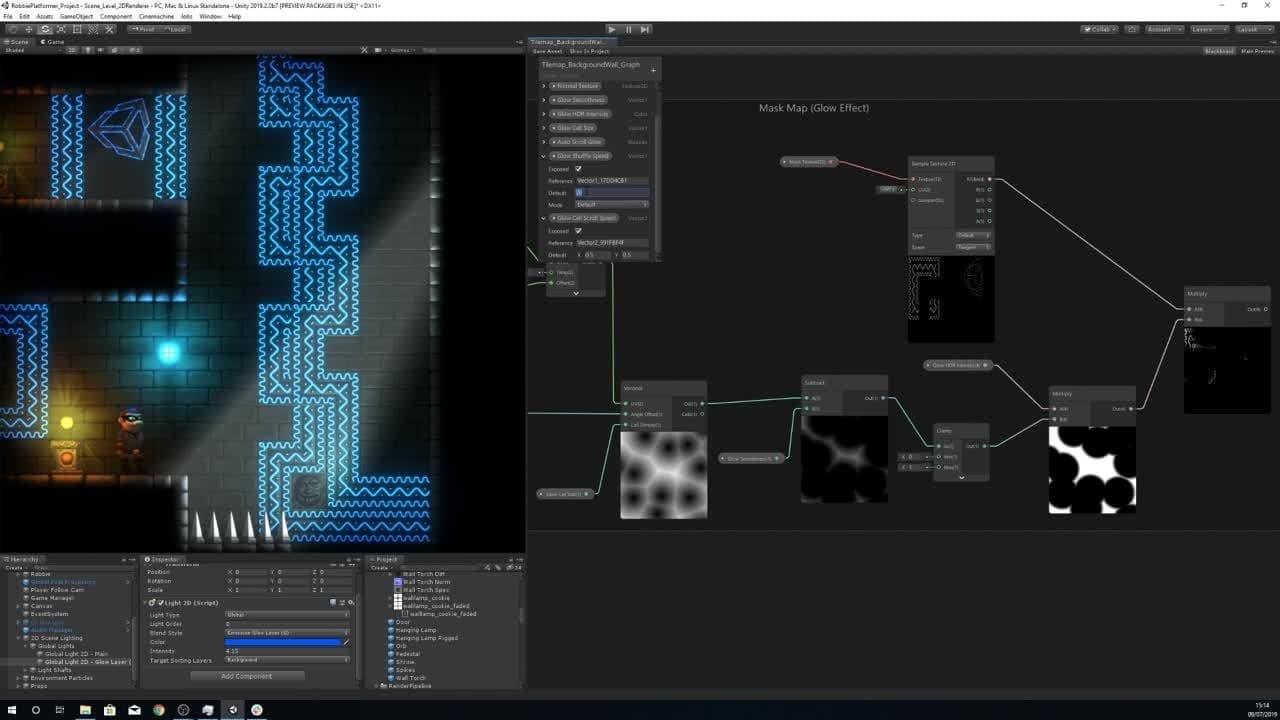
With Color Modes you can display and change colors on nodes in your graph to improve readability. This is especially useful for identifying different types of nodes and node connections when you’re working in large graphs.
Precision Mode allows you to set nodes to use less GPU memory to increase performance on different platforms. It also lets you choose between accuracy and memory usage on the GPU.
Along with the new 2D Renderer in the Lightweight Render Pipeline (LWRP), there are now two Master Nodes in Shader Graph to create 2D shaders for the materials used by 2D Sprites in LWRP: Sprite Lit and Sprite Unlit. With Shader Graph you can create 2D shaders visually to enhance your 2D project.
GPU Lightmapper improvements
In this release, the GPU Lightmapper (Preview) takes some important steps towards feature parity with the CPU Lightmapper.
The new features include:
- Multiple Importance Sampling support for environment lighting
- Support for NVIDIA OptiX denoising
- Increased sampling performance when using view prioritization or small/low occupancy lightmaps

Intel, the Intel logo, Intel® VTune™ Amplifier are trademarks of Intel Corporation in the U.S. and/or other countries.
*Other names and brands may be claimed as the property of others. © Intel Corporation.