Unity announces support for XREAL AURA

Leah Martin - Unity Technologies
Product Marketing Manager, XR
Hey there developers,
Today, we’re announcing support for XREAL AURA, the latest wired XR glasses addition to Google’s Android XR ecosystem. You can start building for this new device today, whether you’re creating something entirely new or adapting existing XR content.
Additionally, this marks Unity’s first support for XR glasses — an important milestone as the industry evolves toward smaller, lighter-weight devices that blend augmented reality, fully immersive entertainment, gaming, and everyday utility.
By bringing many of the capabilities developers expect from more traditional XR headsets into a lightweight glasses form factor, XREAL AURA enables more comfortable experiences better suited for everyday use at home or on the go.
What you can create for XREAL AURA with Unity
XREAL AURA supports a broad range of use cases across games, apps, and enterprise.
Augmented reality and tabletop experiences
XREAL AURA is well suited for spatial games and AR experiences that place interactive content into the user’s environment. Tabletop experiences, strategy games, and character-based content can take advantage of mixed reality to blend digital content with the physical world. Demeo by Resolution Games is an excellent example of a game that uses hand tracking and mixed reality to make a tabletop experience feel like it's sitting right in front of you.

Demeo in Mixed Reality (MR) mode
Immersive games and entertainment
You can create fully immersive experiences, just like you can for a traditional VR headset. This includes games and entertainment experiences where hand input is central to interaction and gameplay — as seen in Resolution Games' Demeo’s fully immersive mode.

Demeo in classic fully immersive mode
By the way, did we mention our XR templates and samples also work in XREAL AURA? See our Mixed Reality multiplayer tabletop template in action below — with full support for immersive mode as well.
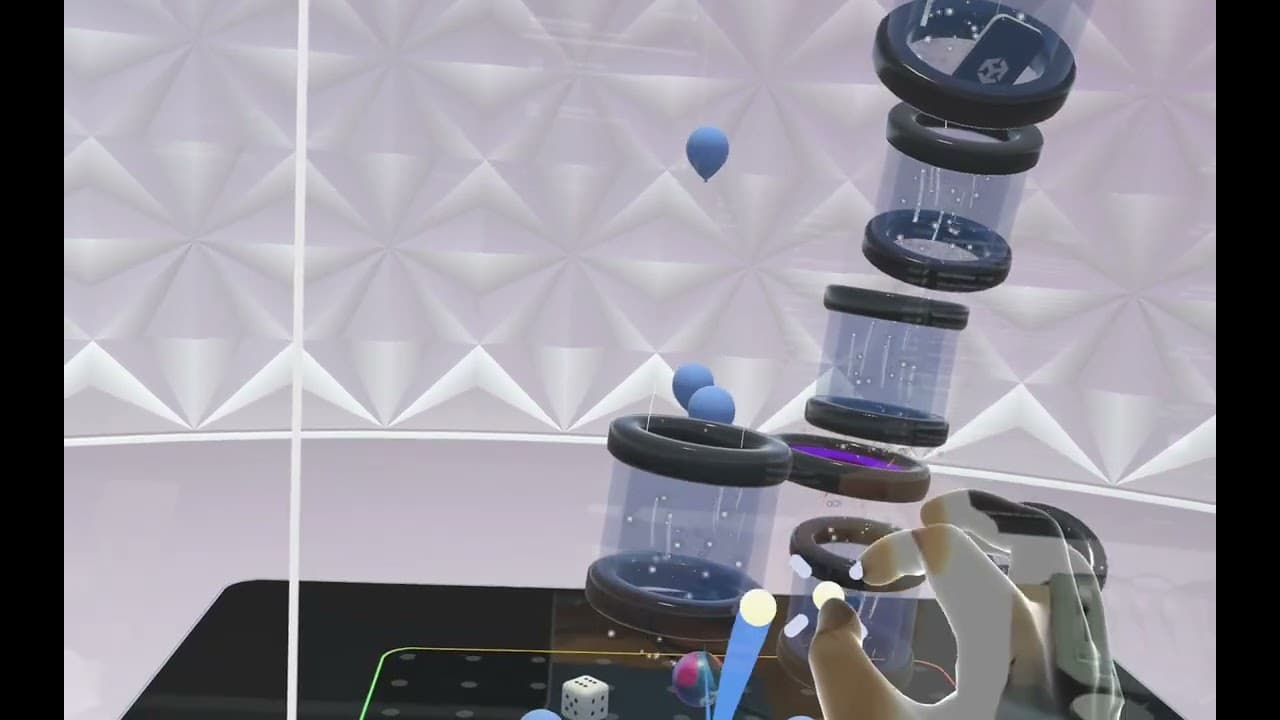
Utility and productivity apps
XREAL AURA's portable form factor opens up a compelling space for utility and productivity apps. Unity's flexible rendering and input systems make it straightforward to design context-specific experiences, so your XREAL AURA app feels intentional and well-suited for the moments users reach for their glasses.
Industry applications
XREAL AURA also opens up opportunities for industry use cases, including prototyping and simulation, immersive training, digital product visualization, and differentiated sales experiences.
Ready to start building? Get set up, and check out our new Android XR dev features
Built for existing XR developers
If you’ve already built an Android XR game or app using Unity, getting started with XREAL AURA should feel familiar. The development experience for XREAL AURA is consistent with Galaxy XR, making it easier to extend existing workflows, tools, and content to XREAL AURA with minimal additional effort. Plus, we’re soon releasing new features which allow you to create one build and deploy across both Galaxy XR and XREAL AURA, helping reduce overhead while supporting multiple Android XR devices.
If you’ve used Unity to build for platforms like Meta Quest, you can also enjoy easy porting. The Android XR platform is built on open standards (OpenXR and Vulkan) allowing for seamless portability from other platforms built with open standards.
XREAL AURA introduces a few device-specific considerations all developers should account for:
- Hands-first interaction ✅
- Puck trackpad input method ✅
- Optical see-through display technology ✅
- A smaller field of view ✅
- No eye tracking ❌
If you’re planning on creating for XREAL AURA, factor in these differences to consider new design opportunities. When porting existing content, think about UI style and placement, gameplay mechanics, and transitioning from controllers to hand tracking.
Exciting updates have arrived for Android XR support. To read about XREAL AURA specifics, check out our Discussions post.
- Spatial Entities: Unity’s new Spatial Entities package gives Android XR developers a single performant OpenXR-based workflow for AR: plane detection, anchor creation, marker tracking, and persistent spatial state across sessions. Developers get identical behavior across supported runtimes; same extensions = same results.
- Single APK for Android XR: Unity now supports single APK deployment across both supported Android XR devices, Galaxy XR and XREAL AURA. One build that runs everywhere, enables features when they’re available, and skips them gracefully when they’re not.
- SpaceWarp UI Improvements: Application SpaceWarp is one of Android XR’s best performance tools, but UI and text artifacts were a non-starter for many developers. Unity has fixed that - XR Motion Vector Pass support is now available for uGUI and TextMeshPro shaders, and Application SpaceWarp is enabled by default for UI shaders when targeting Android XR. You get improved frame generation performance without sacrificing visual quality on your UI or text.
- Dimming Control: Unity now gives developers reliable dimming control across Android XR devices. You can read and write dimming levels consistently, without custom per-device handling. Dimming is especially useful for blending digital content with the physical environment, or disabling dimming near boundaries.
- Puck Trackpad Input: XREAL AURA’s compute puck now has full input support in Unity, including trackpad behavior mapped to Unity’s input system and XR Interaction Toolkit.
- XR Hand Capture: Unity’s XR Hand Capture lets developers record hand poses directly on device, import them into the Editor, and generate reusable XRHandShape assets in minutes. Building custom gesture interactions just got a lot faster.
Getting started
To start creating and porting for XREAL AURA using Unity, here’s what we recommend:
- Upgrade to Unity 6.5 to access the latest Android XR features
- Start developing with the dedicated Android XR Build Profile, which includes preconfigured settings
- Use the latest version of our OpenXR: Android XR package, version 1.13.
- Adopt open standards such as OpenXR and Vulkan
- Use XR Interaction Toolkit and XR Hands (1.6.0 or newer) to build intuitive hand-based interactions
- Install AR Foundation (6.2.0 or newer) and OpenXR Plugin (1.15.0 or newer)
- Review our Android XR documentation for deeper guidance on Android XR tools, workflows, and features.
- For those interested in learning more about XREAL AURA development, tune into our livestream on July 2nd at 12:00 PM ET / 9:00 AM PT / 5:00 PM GMT, where we’ll bring on folks from XREAL and Google’s Android XR team to have a sitdown discussion on XREAL AURA game/app development using Unity.
That’s all for now. We can’t wait to see what you’ll create! Check out today’s Discussions Post and bookmark the Android XR tag in Unity Discussions to stay updated on future Android XR milestones. Also be sure to explore Unity’s XR development homepage to discover all that we offer, including detailed information about our XR partnerships and real-world customer stories.