Industrial 3D visualization and collaboration: FAQ for enterprise teams

Bex Cross - Unity Technologies
Contributor
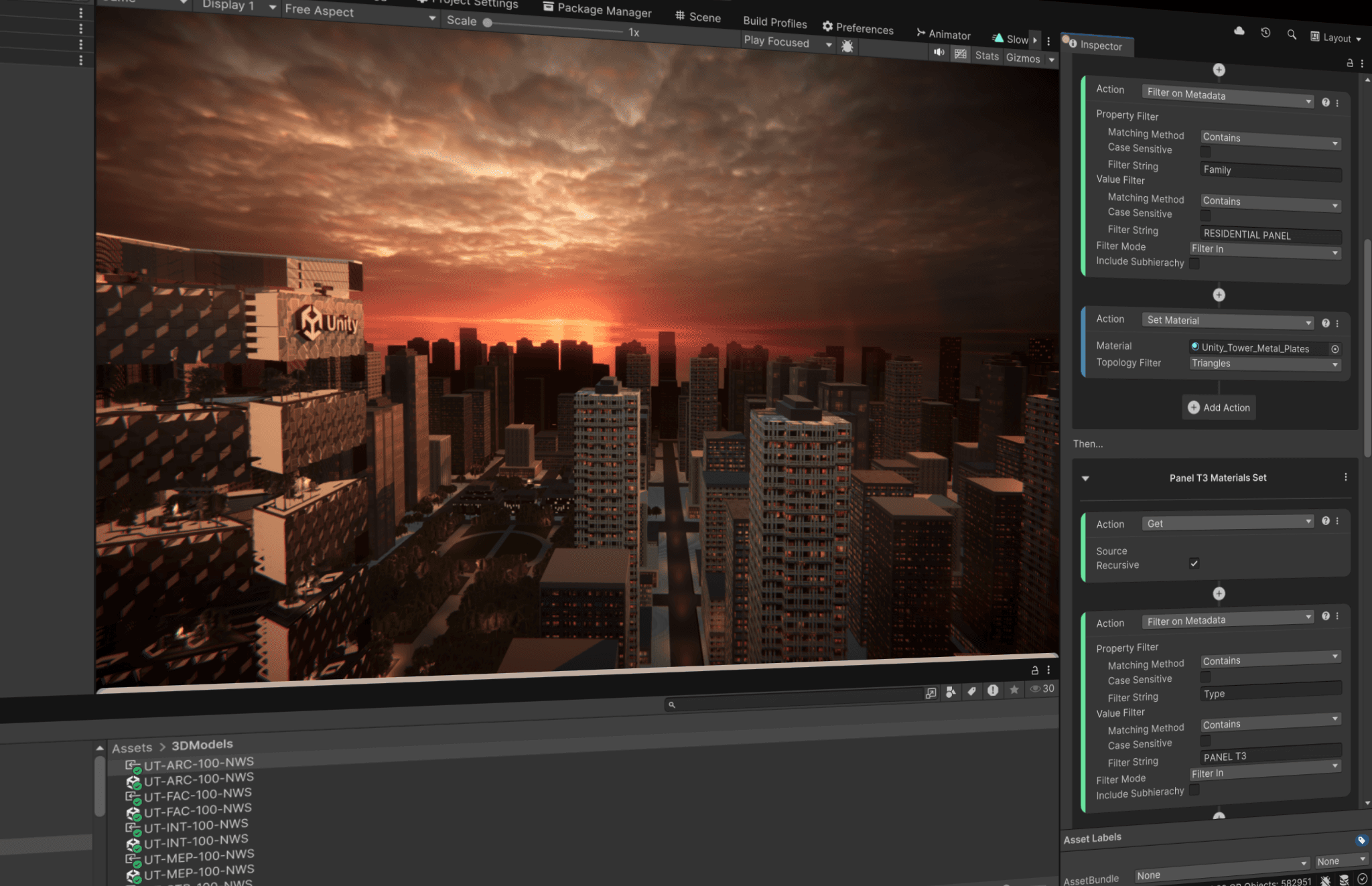
Seeing is believing. When industrial teams can clearly see what they are building, they make better decisions, catch errors earlier, and bring products to market faster. Yet, many organizations struggle with a "Reality Gap." Designers and engineers build tomorrow's products in complex 3D tools, but the rest of the team is stuck reviewing flat files and static presentations.
We recently hosted a webinar Beyond static drawings: Bring CAD files to life with Unity to show how Unity Industry bridges this gap. Unity Industry is our suite of tools for industrial 3D visualization and collaboration, built to bring CAD and BIM data into shared interactive experiences. We demonstrated how Unity Industry turns heavy, complex design files into a shared, interactive web environment. The audience shared many questions about how these tools work in practice to eliminate technical barriers and streamline workflows across disciplines.
We’ve compiled the top 10 questions from the webinar. Whether you’re an engineering leader evaluating 3D collaboration workflows or a digital transformation executive looking to scale innovation, these answers will help you understand how to bring your industrial data to life.
Key takeaways:
- Unity Industry supports 70+ CAD formats and normalizes them into a single format so every stakeholder can participate in industrial 3D visualization and collaboration.
- Pipeline Automation, Unity Asset Manager, and Unity Cloud Data Streaming keep runtime applications in sync with source CAD updates without manual rework.
- You can deploy collaborative 3D experiences across web, Linux, XR, and secure environments like Private Cloud or on-premises infrastructure.
- Templates such as the Industry Viewer Template and Industry Fundamentals make it easier to review models together, connect IoT data, and build scalable digital twin and training applications.
1. What CAD formats does Unity Industry support?
When your teams rely on specialized software that cannot speak to one another, collaboration fractures. To solve this, Unity Industry uses a format-agnostic foundation.
We support the most popular CAD formats, more than 70 in total. This includes AutoCAD, Alias, FBX, Inventor, Navisworks, Revit, CATIA, Collada, GLTF, and IGS files. By transforming and normalizing these diverse files into a single interoperable format, you ensure that everyone can view and collaborate on the same assets, regardless of the original design tool.
2. Can we automatically update the 3D model when the source CAD file changes?
Yes. Keeping your experiences in sync with your latest designs is critical to maintaining a single source of truth.
You can achieve this using Pipeline Automation. When you update a file such as a SolidWorks model, you can set up a rule that automatically runs the conversion in the cloud. Using 3D streaming, the updated asset pushes directly into your runtime application. The app detects the change, displays an update notification, and allows users to pull the latest version immediately. This means your team never wastes time reviewing outdated designs. Also, check out the Industry Viewer Template for a ready-to-use foundation for building collaborative, cloud-connected 3D experiences.
3. Can we import CAD data and apply transformation rules at runtime?
The Asset Transformer Toolkit is an in-editor tool designed to prepare and optimize your assets before deployment. However, you do not need to rely on the editor for live updates.
By utilizing Unity Asset Manager in the backend and Pipeline Automation in the cloud, the heavy lifting is automated. The cloud service processes the transformations. Once processed, you can stream or download those assets directly into your runtime application using tools like Unity Cloud Data Streaming. This gives you the effect of runtime importing without sacrificing performance.
4. How can engineering teams review and discuss models collaboratively?
Reviewing designs collaboratively is key to breaking down innovation bottlenecks. Unity Industry offers multiple ways to achieve this.
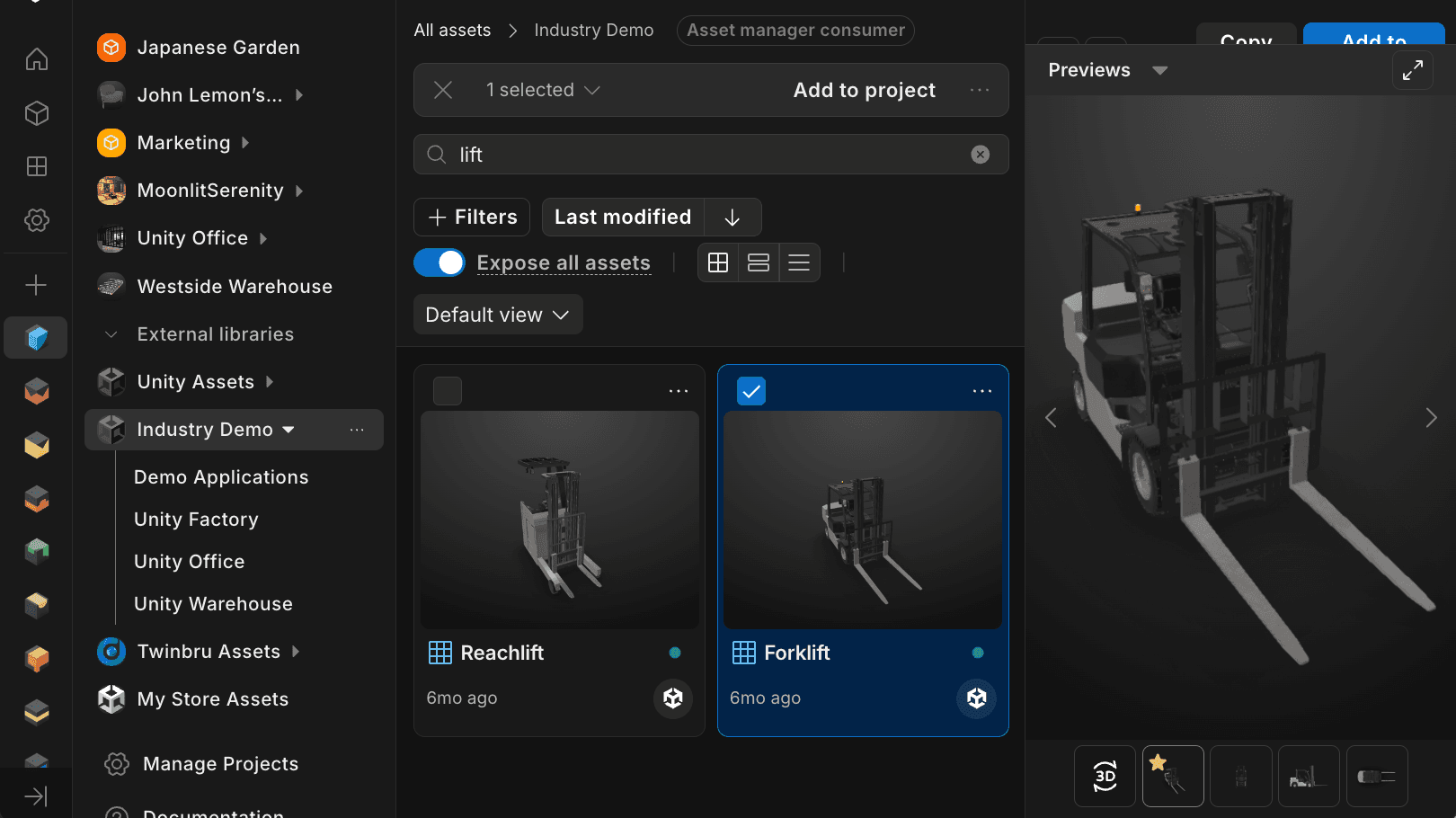
Once you upload your assets to Unity Asset Manager, teams can review and comment on models directly, no additional setup required. For more immersive reviews, the Industry Viewer Template provides a ready-to-use application where teams can stream assets into web builds and VR environments, log in, view models together, and discuss them in context. This turns a static review into a live, interactive discussion where everyone understands the spatial context.
5. Can we deploy these experiences on web and Linux builds?
Absolutely. One of the main benefits of Unity Industry is the ability to deploy to most target platforms, instantly. You can deploy your interactive 3D experiences to Linux, PC, mobile devices, XR headsets, and modern web browsers. This flexibility ensures that whether your team is on the factory floor or in the boardroom, everyone has access to the same immersive experience.
6. Can Unity Asset Manager be deployed on private or third-party servers?
We understand that industrial data is highly sensitive, and many organizations require strict control over their infrastructure.
If your client or organization needs everything hosted on their own servers, we offer a self-hosted deployment solution. We provide Private Cloud and on-premise offerings for specific parts of the platform, including Unity Asset Manager. This modernization makes the deployment process much easier for enterprise IT teams managing secure environments.
7. Can I apply automated rules at scale and deploy to a web application later?
Yes. Pipeline automation is built exactly for this scaled approach. You can set up batch processes that run various automated rules across large numbers of files as they upload to the Asset Manager.
Once the files are processed and optimized in the cloud, you can deploy, stream, or download them to any runtime environment you need, including a web application. This workflow removes the manual burden from your 3D specialists and keeps your pipeline moving quickly.
8. Does the platform automatically define kinematic behavior and animation keyframes?
While Unity Industry automates file conversion and optimization, defining specific kinematic behavior and animation keyframes requires a more hands-on approach.
The toolkit preserves local positioning and hierarchical data from your CAD models, giving you a clean starting point. If you need parts, such as a robotic arm, to move in highly specific ways or respect certain angle constraints, you can use Unity's built-in animation tools: the Animator, Animation Clips, and the Timeline editor for sequencing.
For procedural or physics-driven motion, Unity's component system lets you drive movements through custom scripts or direct transforms. This gives you the full power of a mature game engine, not just a viewer, to bring your industrial models to life.
9. How well does the web template perform on older hardware?
Delivering rich 3D content through a browser requires balancing visual fidelity with hardware capabilities.
Our new template with Unity 6.4 utilizes modern tech like WebGPU, allowing contemporary hardware to run highly detailed models smoothly and look fantastic. However, older laptops or legacy machines will struggle with browser-based 3D unless you specifically optimize the experience for them. Performance always operates on a sliding scale based on the end user's hardware capabilities.
10. Can Unity Industry connect to external applications and sensors?
Yes. Unity Industry and the Editor is designed with an open, data-driven architecture that makes it straightforward to connect your own external systems, live feeds, or IoT sensors.
As an example, in the Industry Fundamentals template, all robot data - battery level, temperature, speed, operation mode, and more - lives in ScriptableObjects. The UI binds directly to these, so it updates automatically whenever the data changes. To connect your own live data, you replace or extend the built-in RobotDataSimulator script with one that writes your real sensor or IoT values into the same ScriptableObject properties. Because the data and UI are fully decoupled, nothing else needs to change. The dashboard, minimap, and status indicators will all respond to your live data automatically.
For teams looking to go further, the IoT Sample Project available in the Unity Asset Store demonstrates a complete IoT integration.
Build the future faster
Creating better applications requires clear communication, shared understanding, and the right tools. When you eliminate the bottleneck of specialized 3D creation and allow every team to collaborate in real time, you move from vision to reality much faster.
Unity Industry empowers you to take complex design data and put it directly into the hands of the people who need it most. Whether you want to improve cross-functional design reviews, accelerate training, or build dynamic digital twins, the platform provides the open, format-agnostic foundation you need to succeed.