Getting started with the Asset Transformer for Unity for Industry
The Unity Asset Transformer is a suite of powerful solutions designed to prepare complex industrial data for use in real-time 3D applications. This process, which involves tessellation, optimization, and scaling, traditionally requires significant manual work from 3D artists.
This pages covers frequently asked questions about the Unity Asset Transformer suite.
Frequently asked questions
What is the Unity Asset Transformer suite and what problem does it solve?
The Asset Transformer suite consists of three distinct tools tailored to different workflows: Asset Transformer Studio for engine-agnostic visual preparation, Asset Transformer Toolkit for repeatable, rule-based processing inside the Unity Editor, and the Asset Transformer SDK for building fully automated, headless data pipelines.
These tools provide a comprehensive ecosystem for ingesting, transforming, and managing large-scale industrial assets for digital twins, architectural visualizations, and other enterprise applications, compatible with Unity 6.
(0:02) - The video introduces the Unity Asset Transformer as a solution for preparing complex industrial data
(0:32) - The system is designed to handle non-polygonal data, described as parametric or B-Rep data
(0:51) - This section covers exporting a tessellated mesh without needing a retopology artist to manually process it in a DCC tool
Check out the Asset Transformer page to learn more.
What are the tools included in the Asset Transformer suite?
The Asset Transformer suite includes three distinct tools, each built on the same core technology but tailored for different use cases.
The Asset Transformer Studio is a standalone, engine-agnostic application with a visual interface for manually transforming and decimating complex models with immediate 3D feedback.
The Asset Transformer Toolkit is a Unity-integrated tool that allows you to create and apply repeatable rule sets to automate asset processing directly within a Unity pipeline.
The Asset Transformer SDK is a software development kit (SDK) for developers using Python or C# to build custom, deeply integrated, and fully automated data-processing pipelines, including headless operation.
(1:05) - The Asset Transformer Studio overview
(2:02) - The Asset Transformer Toolkit overview
(3:34) - The Asset Transformer SDK overview
What is Unity Asset Transformer Studio and when should I use it?
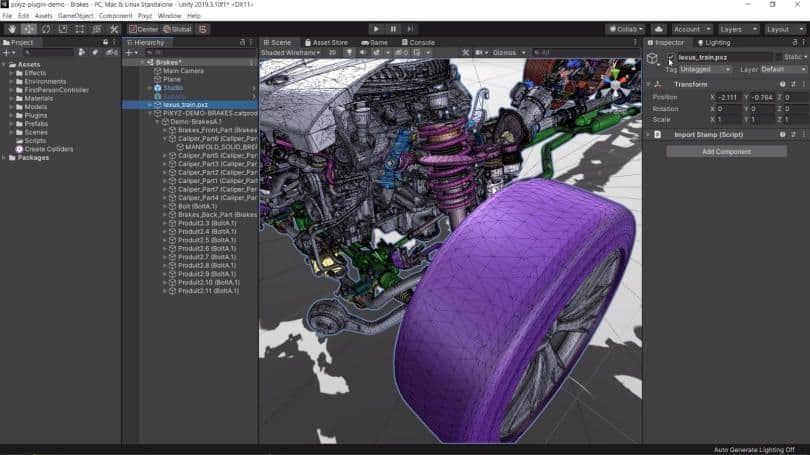
Asset Transformer Studio (formerly PiXYZ Studio) is a standalone desktop application that operates independently from the Unity Editor. Its primary strength is its visual, hands-on approach to data preparation.
You should use Asset Transformer Studio when you need to:
- Work in an engine-agnostic pipeline, as it can export to any real-time engine or software
- Visually inspect and process individual complex assets, such as a detailed engine assembly
- Get immediate 3D feedback on your changes as you apply decimation algorithms and adjust quality levels through its user interface
(1:05) - The video explains that Asset Transformer Studio is a standalone piece of software
(1:15) - This section covers exporting to other softwares
(1:26) - The workflow involves ingesting files, running algorithms through the UI, and seeing immediate feedback on the 3D model
Check out the Asset Transformer Studio page to learn more.
How does the Asset Transformer Toolkit work within Unity?
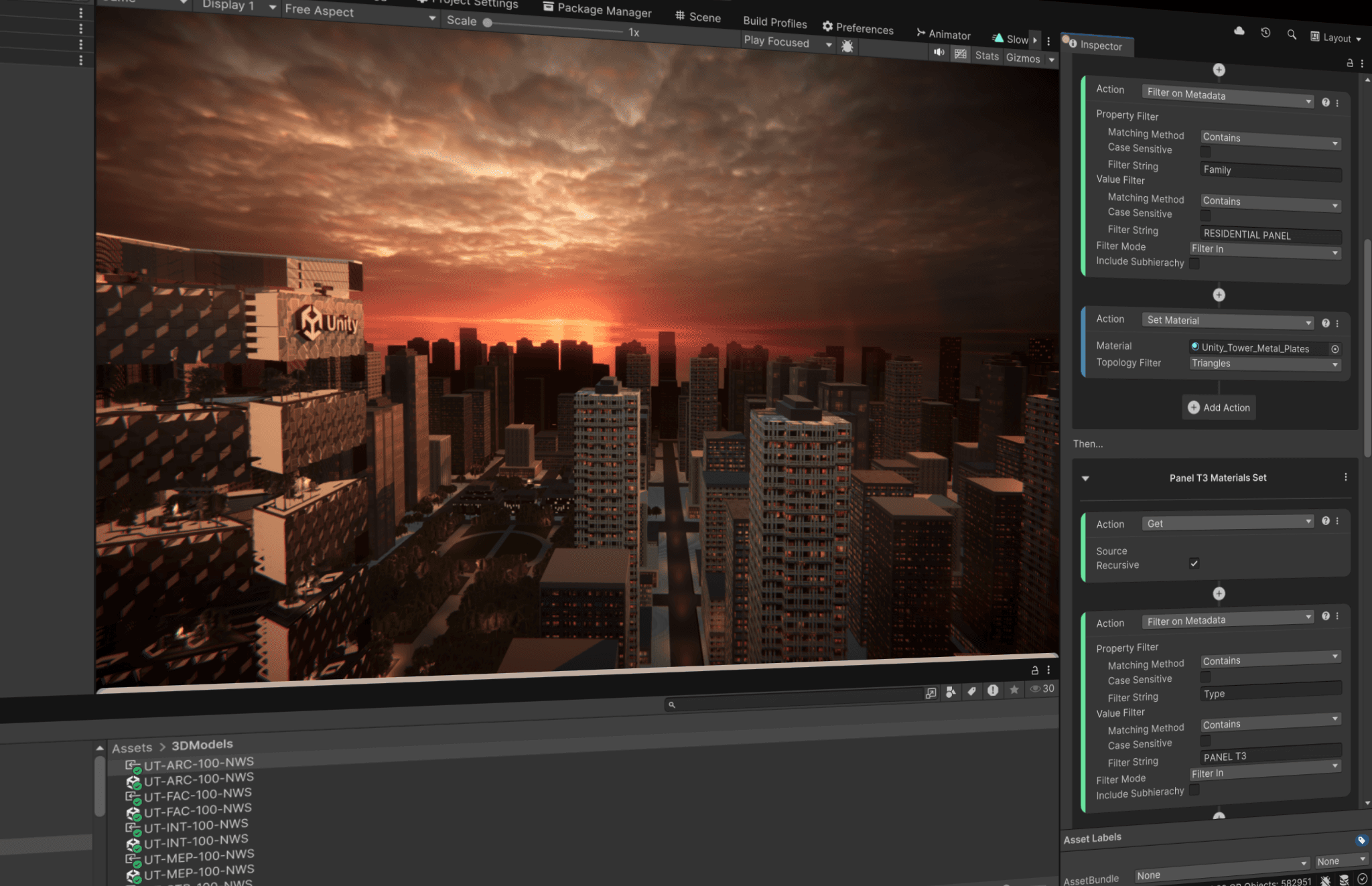
The Asset Transformer Toolkit is designed to work directly inside a Unity pipeline. It allows you to create powerful, repeatable rule sets that automatically process assets as they are ingested into your project.
The workflow is based on conditional logic. You can define rules such as:
- If an object's metadata matches a specific identifier, delete it.
- If an object's material is a certain type, replace it with a different one.
- If an object is smaller than a certain size, remove it.
These rule sets can be saved and reused, making it highly efficient to process large batches of similar assets, like parts of a factory or components of a car.
(2:12) - This section of the video covers that this tool is specifically for a Unity pipeline
(2:16) - Create rules to select pieces based on metadata for deletion or replace materials based on matches
(2:37) - This part of the video explains the concept of creating repeatable rule sets that function as recipes for different asset categories
Check out the Asset Transformer Toolkit documentation page to learn more.
What is the Unity Asset Transformer SDK?
The Asset Transformer SDK is a software development kit that provides foundational access to the core transformation technology. Both the Asset Transformer Studio and Toolkit applications are built on top of this SDK.
It’s intended for developers and technical teams who are proficient in Python or C#. If you’re using an IDE, such as Visual Studio, it can work directly with the backend APIs to:
- Create highly customized and complex processing recipes
- Integrate data transformation directly into proprietary tools and workflows
- Build automated, server-side services for data preparation
(3:34) - This section covers an overview of the Asset Transformer SDK as a software development kit
(3:41) - The intended user is a developer who understands Python or C#
(3:54) - The workflow involves using an IDE to work with APIs and create headless-compatible recipes
Check out the Asset Transformer SDK documentation page to learn more.
Can I automate data preparation with Unity Asset Transformer?
Full automation is a key feature of the suite, specifically enabled by the Asset Transformer SDK. It’s the only tool in the suite that can run in a "headless" mode, meaning without a graphical user interface.
This capability allows you to build powerful, unattended automation pipelines. For example, you could create a service that:
- Watches a specific folder on a server for new file uploads
- Automatically detects when a new CAD file is added
- Runs a predefined series of transformations on that file based on its type
- Exports the processed, real-time-ready assets and pushes them directly into a content management system like Unity Asset Manager
(3:59) - This section of the video introduces the headless mode capability
(4:25) - This part covers how to create a service that can watch a folder, detect new files, transform them, and push them to Unity Asset Manager

Read the article
Fill out this form to stay up-to-date with Unity’s latest offerings and solutions