Big Farm: Homestead – Inside the tech behind a 3D mobile world

Adam Axler - Unity
Senior Content Marketing Manager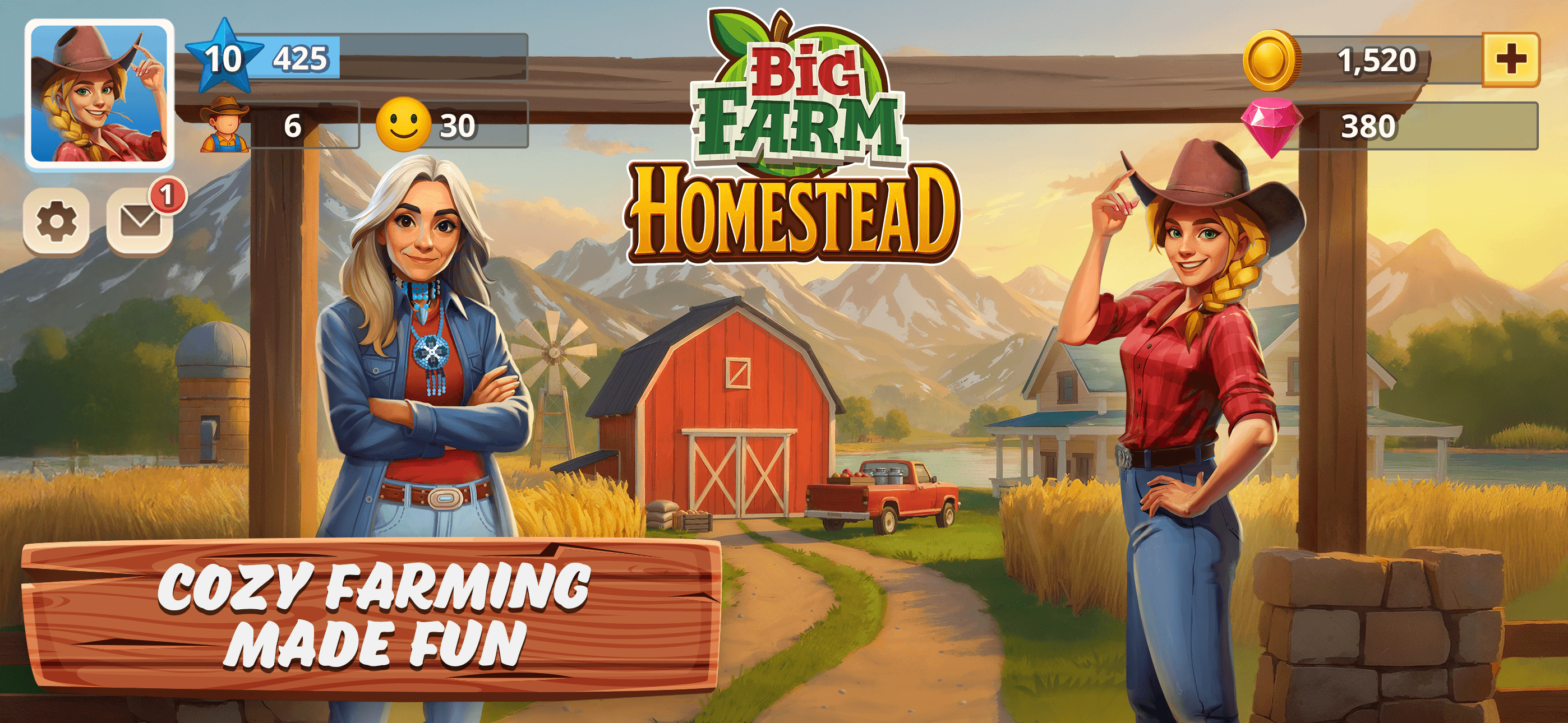
New Moon Production was founded in 2016 with the goal of staying at the forefront of game development technology while keeping production sustainable. Over the past decade, the studio has shipped games including Empire: World War 3, Empire: Age of Knights, Home & Garden: Design Makeover, Love & Passion: Chapters, Big Farm: Mobile Harvest, Big Farm: Story, and Sunshine Island.
Their latest title, Big Farm: Homestead, is a farming simulation game for mobile platforms. It builds on Big Farm: Mobile Harvest and is the first fully 3D game in the main Big Farm franchise.
We spoke with Anissa Nehls, director of product marketing at New Moon Production, Volker Zerbe, art director, and Felix Fischer, expert Unity developer, about the technical challenges and solutions behind bringing a 3D Big Farm world to mobile.

Game vision, worldbuilding, and architecture
How does Big Farm: Homestead differ from Big Farm: Mobile Harvest?
Anissa Nehls: Big Farm: Homestead is highly story-driven. Players follow Tessa as she restores her family’s homestead across three distinct farms, each with its own crops, buildings, and animals. Beyond farming, players rebuild towns chapter by chapter, unlocking characters, production chains, and parts of a mystery tied to a dried-out lake.
The chapter system keeps progression structured and easy to return to, while the world remains warm and nostalgic. Multiplayer elements, like guilds and cooperative events, enhance the experience. Players come for the cozy resource management and stay for the community.
What was the team’s main goal with this title?
AN: Our goal was to move fast without compromising the Big Farm IP’s core fantasy. We built on lessons from Sunshine Island and Mobile Harvest – from tech pipelines to marketing insights – and, with Unity, delivered the game in under a year.

Big Farm: Homestead | New Moon Production
What was the biggest technical challenge during development?
Felix Fischer: Sharing code between Big Farm: Homestead and Sunshine Island without creating a fork was critical. We packaged shared code as an NMP package and consumed it via the Unity Package Manager. This allowed clean versioning while both games evolved independently. We handled assets and settings separately and recreated ScriptableObjects per title.
Volker Zerbe: Mobile optimization was another key challenge. The game features a large, seamless terrain with dense objects, and it needs to run smoothly on devices up to eight years old. We focused on memory usage, draw calls, and shipping only essential content.

Big Farm: Homestead | New Moon Production
How did Timeline simplify world sequencing?
VZ: Timeline manages building states and in-game cutscenes. Each production building cycles through idle, producing, and collecting states authored as looping Timeline sequences. A custom track tags sections with states, and lightweight scripts control playback. This keeps animation and logic tightly aligned and easy for artists to preview.
FF: We also extended Timeline with tracks for spawning objects and triggering events, turning it into a sequencing tool for both gameplay and cinematic moments. Compared to Animator Controller workflows, Timeline feels more intuitive and reduces timing issues.

Big Farm: Homestead | New Moon Production
How did you use Cinemachine for gameplay and cutscenes?
VZ: Cinemachine handles smooth camera transitions and sequences between world maps and interiors. Virtual cameras give us dynamic cutscene movement without complex manual setups.
FF: The main camera is fully virtual and follows an invisible player-controlled target. Additional cameras for events or cutscenes blend automatically. This gives precise, smooth control across gameplay and cinematic sequences.

Big Farm: Homestead | New Moon Production
How did the Universal Render Pipeline (URP) and Shader Graph help?
FF: The Universal Render Pipeline (URP) was essential for managing visual quality and performance across devices. It made setting up multiple quality tiers – low, mid, and high – straightforward. We exposed these tiers so players can prioritize fidelity or performance.
At the same time, URP helped us offer a strong default experience by starting players on mid or high settings. That ensures a good first impression while still allowing features like shadows to be scaled back to hit target frame rates. We also used URP’s rendering features, such as stencil masking, to mix 3D and UI elements efficiently. Fixed shaders would make these effects more complex or costly to implement.

Big Farm: Homestead | New Moon Production
What role did ECS and the Burst Compiler play in building the world?
FF: We used the Entity Component System (ECS) in Unity’s Data-Oriented Technology Stack (DOTS) to structure the world efficiently. Buildings, production types, and characters were entities. Systems operated only on relevant groups, which kept logic clean and performant. Performance-critical systems, such as building grids and fishing behaviors, benefited from the Burst Compiler, reducing heavy calculations from seconds to almost instant.
ECS handled all 3D world objects (not UI), so we could scale to large numbers of entities. The query system let us target relevant entities without custom managers, and ECS encouraged a modular architecture that improved maintainability. Working with early-stage APIs meant frequent updates, but the performance and structural benefits made the investment worthwhile.

Big Farm: Homestead | New Moon Production
What Unity 6 features have you applied, and which do you plan to leverage?
VZ: We explored Forward+ rendering in Unity 6 for better performance and scalability, and we’re looking forward to 32-bit masks for dynamic variables, which will offer more flexibility in runtime data handling.
FF: Upgrading to Unity 6.3 will let us batch more objects efficiently without breaking SRP Batcher, while enhanced memory profiling provides deeper insights for resource management and optimization.
Performance, optimization, and best practices
How did the team tackle performance issues?
VZ: Fully dynamic lighting with detailed buildings was expensive, so we introduced shadow proxies – simplified geometry for shadows while keeping high-detail meshes for rendering. We also optimized shadow rendering around a single directional light.
Rendering at native 2K or 4K resolutions caused frame drops on high-end devices. We implemented dynamic resolution scaling via URP, which reduces resolution to around 70–80% when needed with minimal visual impact.
FF: We also optimized shaders. Using Shader Graph, we built lightweight shaders and moved lighting from per-pixel to per-vertex where it made sense. Combined with SRP batching, this kept materials flexible without relying on large texture atlases and resulted in a scalable, performant pipeline.

Big Farm: Homestead | New Moon Production
How did you identify and fix performance bottlenecks?
VZ: We used the Frame Debugger and Memory Profiler to optimize performance. The Frame Debugger helped us spot draw call and batching inefficiencies. The Memory Profiler highlighted heavy 2D assets and UI atlases, which helped us reduce memory usage for older devices.
FF: We also used the Unity Profiler to monitor ECS systems in real time and identify bottlenecks. Unity Auditor flagged potential improvements such as texture and audio compression. Together, these tools helped us balance performance and visual quality and maintain smooth gameplay across devices.
How did Addressables optimize assets and app size?
FF: We use the Addressables system for all our assets, which simplifies dependency management. Addressables let us decide whether assets are bundled in the app or hosted remotely on our content delivery network. This helps reduce app size and ensures players download only what they need. It’s especially useful for seasonal or event-specific content that players encounter less often. By loading these assets dynamically, we avoid unnecessary memory usage.
VZ: Addressables are also crucial for meeting Google Play requirements, such as the 200 MB Android App Bundle size cap. Core assets for the first play session or first week are built into the app to provide a smooth initial experience. We deliver seasonal or rarely used content remotely. This keeps the app lightweight while still supporting live operations and event-driven content.

Big Farm: Homestead | New Moon Production
What advice do you have for balancing performance and visuals in mobile games?
VZ: For us, performance comes first. A game needs an appealing visual style, but especially on mobile – where players often play in short sessions – smooth performance is critical. Long loading times, stuttering, or lag break immersion and discourage regular play. Our goal is to create a beautiful world that runs smoothly so jumping in and out feels easy.
FF: At the same time, we want the world to feel alive. Small details, such as hidden animals or subtle movements, encourage exploration and discovery. They keep the experience engaging without overwhelming the device or the player.
To read more about projects made with Unity, visit the Resources page.