Deploying and optimizing UG for Meta Quest

Adam Axler - Unity
Senior Content Marketing Manager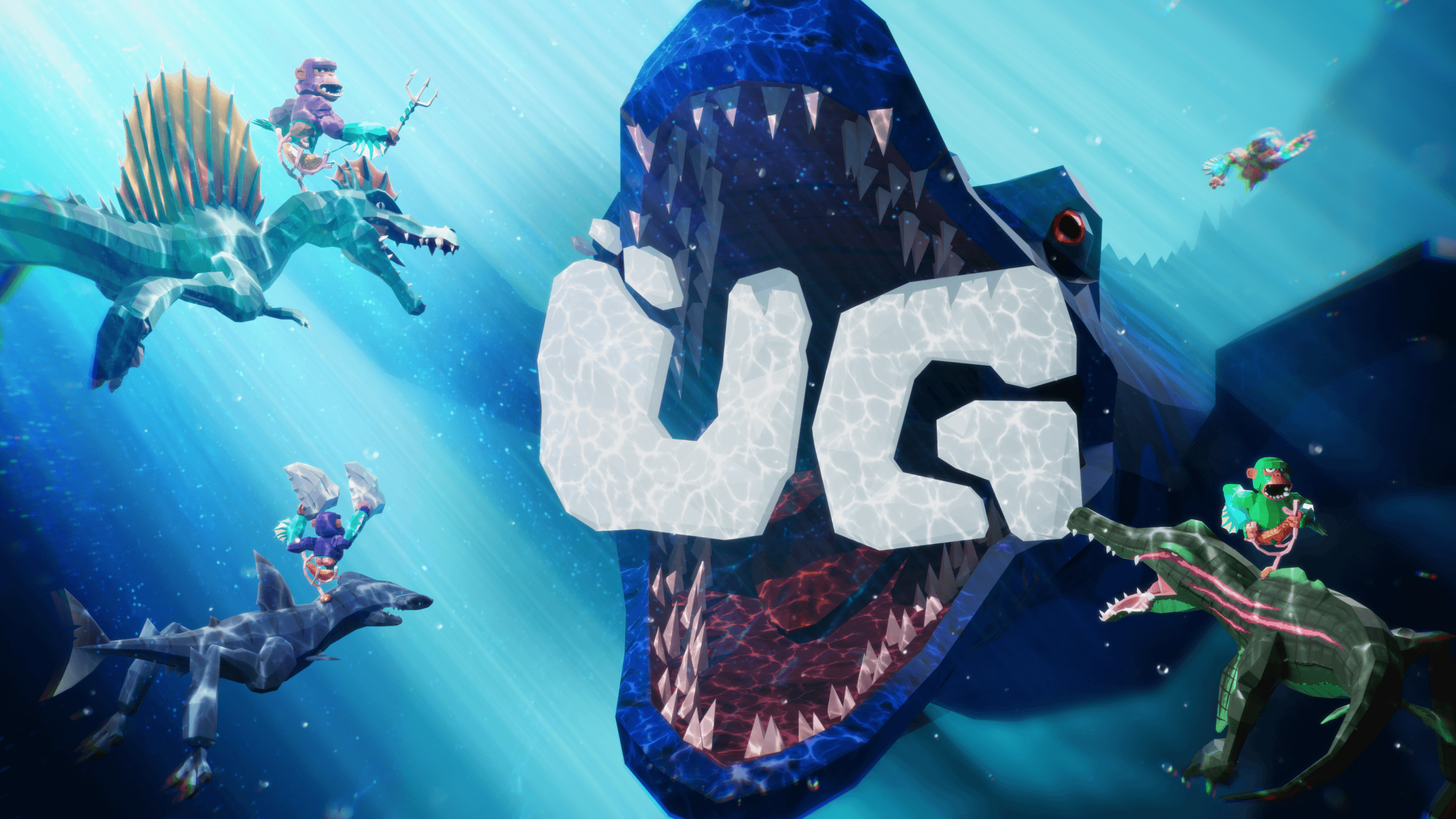
For Continuum XR, building UG for Meta Quest meant combining creature collection, social interaction, and physics-driven VR gameplay into a scalable multiplayer experience for standalone headsets. Inspired by creature collectors and mech-piloting games, UG lets players collect dinosaurs through quests, trading, and purchases, then ride them using gorilla-style locomotion.
Delivering that experience required balancing multiplayer networking, deployment workflows, and performance optimization across Meta Quest hardware. The team also needed to support live updates, networking systems, and VR gameplay interactions while maintaining stable performance on mobile hardware.
We spoke with VR developers Mark Minehan and Conrad Dugger, and associate producer Hala Louviere about building and deploying UG with Unity, optimizing networking and performance for standalone VR, and scaling a live multiplayer VR game across Meta Quest devices.
What were your primary technical goals?
Mark Minehan: For Meta Quest, the game needed to run smoothly despite UG’s large scope. We tested other engines, but Unity provided the best support and performance. Photon Fusion 2 Shared Mode scales well because much of the networking runs client-side, keeping development affordable and scalable.
Unity provided the integrations and support we needed, so we built on existing tools instead of creating a networking stack or game engine from scratch.

How did you structure your build pipeline in Unity to support efficient VR deployment?
MM: The team uses Unity Version Control so members can work on branches concurrently and manage their own changes. We use main, live, dev, beta, and feature branches. Unity Version Control keeps the team in sync and makes it easy to push and pull changes.
For builds and deployments, we use Unity Hub to build Android Package Kits (APK) and Meta Quest Developer Hub to deploy them in minutes. From there, we promote or demote builds and release them to players or alpha testers.
Conrad Dugger: At launch, especially as UG gained traction, we needed visibility into what was happening at scale. The Editor could not simulate every scenario, so we uploaded debug symbols and used a Mixpanel dashboard to monitor errors continuously. We still check it daily and after every patch to make sure issues do not return. This helps us resolve issues before they affect players.
MM: We can access crash symbols directly through Meta, so we did not need a custom solution. Unity lets us build and upload them to Meta in the same or a separate step. For errors and exceptions that crash symbols do not capture, we built custom tools that rate-limit uploads per player and include full stack traces.
We review those reports alongside user history to pinpoint what users were doing before an event occurred. Mixpanel aggregates events so teams can build queries, flows, and visualizations, helping us spot and fix issues quickly.

UG | Continuum XR
What were the biggest deployment constraints you encountered when targeting VR devices?
CD: For builds, our setup is straightforward. We use Unity’s built-in build system and keep the project on the Android target. We build the APK, upload it to Meta Quest Developer Hub, and distribute it through the Meta Quest platform. Occasionally, we need to rebuild an APK, and we have seen a small number of upload errors.
MM: During Early Access, the game attracted malicious users, modders, and hackers. Shipping APKs exposed security risks, so we strengthened our VR build security with custom solutions and Unity Asset Store add-ons.
CD: We also use obfuscation packages to protect files and the backend. Our self-deployment process runs checks through Meta attestation, and PlayFab helps verify account activity and prevent unauthorized access. We also enforce minimum versions so players cannot log in using outdated APKs.
Hala Louviere: VR hardware improves quickly between generations, and many players still use Meta Quest 2. Every new feature requires performance consideration. We regularly evaluate ideas against their performance impact. That tradeoff is a distinct challenge in VR, where hardware differences can significantly affect the player experience.

UG | Continuum XR
How did upgrading from Unity 2021.1 to Unity 6 impact your deployment workflow?
MM: We originally used Unity 2021.1 because the team had standardized on it, but that version had build and workflow issues, including VR focus and tracking inconsistencies.
When we moved to Unity 6, we chose a version that was more stable for our workflow. The upgrade required code updates for deprecated APIs and took a few days to complete. We upgraded for stability.
CD: We also switched because Unity 6 worked better with Fusion. Unity 6 also supported a PlayMode Tool that helped us test multiplayer scenarios early in development. We eventually stopped using it after tightening security. We resolved most migration issues within about a week.
MM: Animator overflow behavior created the main challenge, but we developed a workaround.
Unity 6 did not introduce a new bug. Unity 6 surfaced an existing issue involving animation counters reaching their maximum value. Rather than ignore it, we built custom Editor tools and systems to identify affected animations and reset them before they overflowed.

UG | Continuum XR
How did you define and validate performance targets during deployment across VR hardware?
MM: We track several performance metrics. One key metric is fps, with a target of 72 fps on our device. We monitor drops below that threshold and how often they occur. We use the Unity Profiler and Meta dashboard, which provides device-specific breakdowns.
Memory has not been a major issue due to low-poly assets and reusable shaders, so we rarely see memory-related crashes. Networking is a major focus because UG has many objects and networked interactions. We worked directly with the Photon team to address performance issues and crashes, and use techniques like areas of interest to improve scalability.
We also track crashes and investigate whether new changes or performance issues caused them.
How did you leverage the Unity Profiler to optimize platform-specific builds prior to deployment?
MM: The Unity Profiler helps us track lag spikes and monitor fps drops. We can review rendering passes, memory usage, and frame activity to find causes. We used it to investigate an issue with the DinoDex. Each player has their own DinoDex, so we used a scene search API to find the relevant component at runtime.
It worked in the Editor, but in live testing, it caused severe stutters when opening the DinoDex. The Profiler showed the API call triggered spikes in scenes with many objects. We identified the exact script and function and found other uses of the same pattern, reducing lag spikes across the project.
CD: It’s been critical for debugging performance issues. The DinoDex issue could freeze the lobby for a few seconds when opened.
Another example is player shelves, which display rows of dinosaurs. The original implementation spawned multiple networked objects in a single frame, causing performance spikes.
The Profiler showed these spikes came from Fusion spawn calls and large object hierarchies with NetworkObject and NetworkTransform components. It helped us pinpoint the exact frame and cause and resolve gameplay-disrupting issues, including repeated spawns and crashes.

UG | Continuum XR
Which deployment decisions or optimizations had the biggest impact on delivering a stable and performant VR experience?
MM: QA is one of our strengths. Unity lets us create targeted builds with configurable settings for beta modes and other test environments. We can release builds to smaller player cohorts, fix issues, and push updates to alpha in minutes, often under 10 minutes.
This workflow allows us to test changes rapidly before they reach the live playerbase. The ability to push frequent updates and maintain this feedback loop is key to stability.
CD: Optimization has been continuous since development started in January 2025. We moved quickly, releasing to testers and launching by September, then shipping weekly updates after launch.
From the beginning, we focused on networking, performance, and code quality. The QA process supported that pace, allowing rapid testing of new systems. We also avoid features that do not justify their performance or development tradeoffs.

UG | Continuum XR
What’s your top tip for aspiring VR developers?
MM: Build something, even a small prototype. It does not need to be polished. Share your work through game jams, itch.io, SideQuest, or the Meta Horizon Store to get direct feedback. Do not take criticism personally, and use feedback to improve. Many VR developers avoid sharing while learning, but working in a vacuum slows growth.
HL: Beta testing is critical. UG had four to six weeks of closed alpha and beta testing before release, which helped shape the final experience. Players do not always behave as developers expect, so external testers reveal how the game is actually played. This feedback helps developers close the gap between intended and actual player experience, and teams should not skip it even if a game feels ready.
To read more about projects made with Unity, visit the Resources page.