Three ways Unity Industry helps customers develop real-time apps faster without compromising on quality


At an event held at the Unity Copenhagen office, speakers from three very different companies – a major global crane manufacturer, another world-leader in machine and factory automation, and a maker of bespoke and affordable kitchens – shared how they are using Unity Industry in their distinct tech stacks. Their core goals, however, are the same: Shorten the production times and lower the costs of developing their real-time applications, without compromising on quality, reliability, and accuracy.
The event also provided a chance for Industry customers to get valuable, focused time with Unity experts in graphics, AI, DOTS, and more.
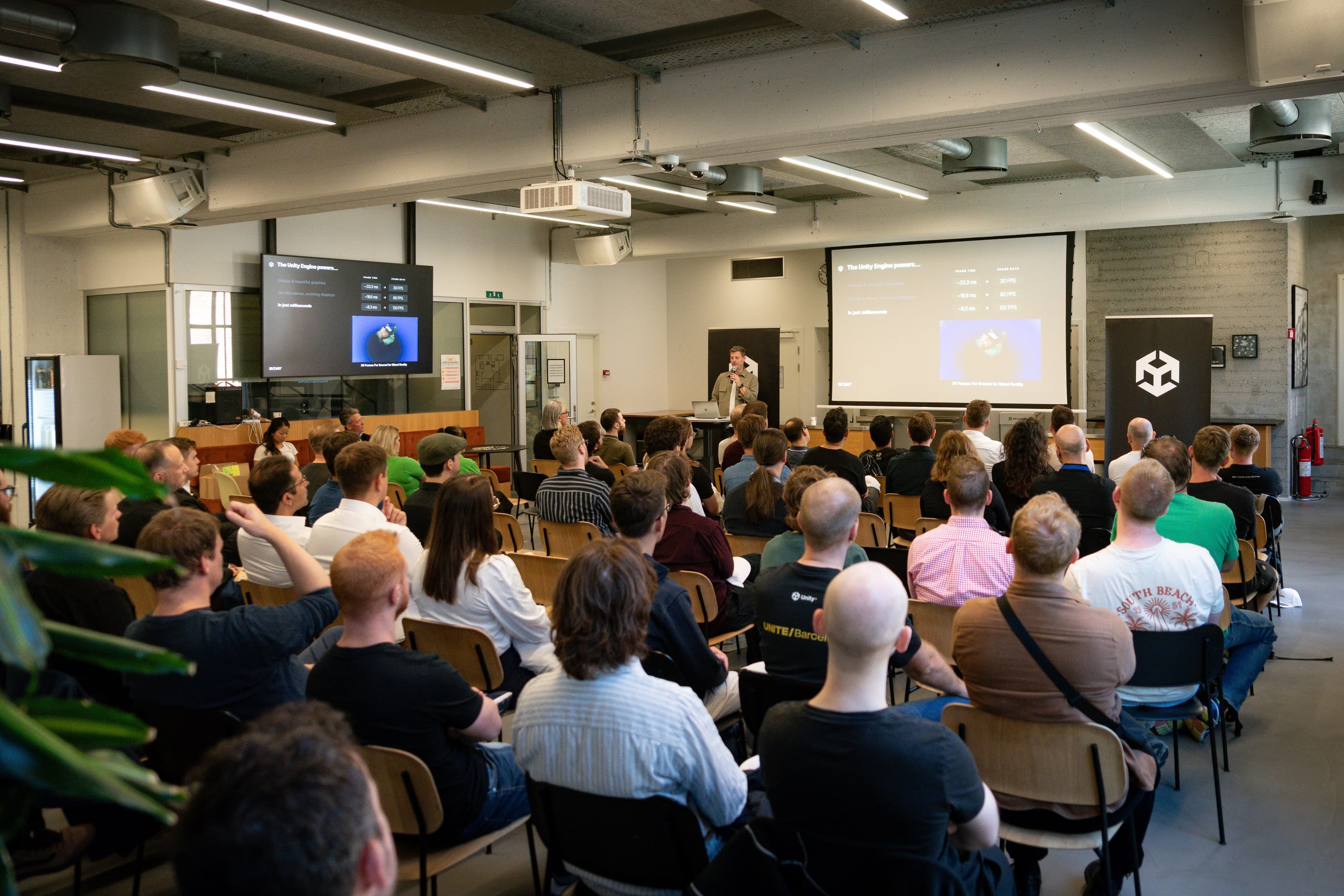
Keep reading to get a recap on how Unity is helping Wren Kitchens, PALFINGER, and B&R Industrial Automation bring more value to their customers, as well as to their own sales, marketing, support, and training teams.
Wren Kitchens: Showing customers what their dream kitchen will look like in real life
For over 35 years UK-based Wren Kitchens, employing over 4000 people, has been designing, making, and installing affordable bespoke kitchens for their customers.
As Katie Fisher, Technical Development Manager, and Corrina Hoey, a 3D Developer explained, for most of their customers, the journey to their dream kitchen will start with Wren’s interactive kitchen visualization application, powered largely by Unity. Prospective buyers can use Wren’s 3D “planner” app to select their favorite kitchen cabinet styles and colors, creating a 3D model of their bespoke kitchen.
Unity powers this 3D planner app, which is used for previsualizations, video flythroughs of virtual kitchens, and more.


From good renderers to better (and cheaper) ones
Wren Kitchens calls their kitchen renders “Wrenders”. Their first version was released in 2017, and used the V-Ray engine for the final path traced render.
They were popular with designers and customers alike, but the development team at Wren knew they could do better, with lower cost.
Their new “Wrenders” are powered by the capabilities provided by the DirectX12 (DX12) graphics backend in Unity. They now only need one license, their Unity Industry one, which slims down their tech stack, and they're saving big on their cloud-based rendering costs.
With this latest iteration of their kitchen visualizer, they get faster build times and great image quality with Unity – with additional camera angles, hero shots, and settings for creating kitchen environments with great depth and detail, helping customers make informed decisions.
PALFINGER: Getting help with the heavy lifting of crane simulations

PALFINGER is a world leader in the manufacturing of land- and marine-based cranes. Established in 1932 and headquartered in Austria, the company today has 30 manufacturing sites worldwide.
They don’t just manufacture heavy machinery: PALFINGER also has over 100 employees dedicated to developing and maintaining their suite of 30+ software solutions.
Jesús González Rodríguez, Senior Software Engineer, and Tomasz Oniśk, Software Engineer, dove into a run-through of one of their key applications, PALSHOW, developed in Unity. PALSHOW is designed to support customers, distributors, and sellers in visualizing crane behavior. It provides a side-view 2D simulation of real crane movements, helping users understand the crane’s payload limitations and capabilities, as well as its positioning and deflection, using simple schematic drawings.
Bringing in Unity for accurate visualization and .NET compatibility
An earlier, desktop-based version of PALSHOW was one part of a more complex software, with a lot of other features that many PALSHOW users didn't need. To improve the scenario for PALSHOW-specific users, the Calc Apps team targeted a web-based experience for the next iteration of PALSHOW, extracting it from the complex desktop application, choosing Unity this time to provide better-quality visualization and interaction. Unity also fitted well into their existing technology stack, allowing them, thanks to Unity’s .NET compatibility, to continue to use existing calculations libraries, and a lot of the code from the desktop version.
The current version of PALSHOW is a browser application that can be used in any browser, supports the simulation of two cranes in the same view, and adds many other features, such as crane deformation simulation, shapes drawings, and curves interaction. It's also integrated into other PALFINGER applications. The team continues to improve the app by adding more crane types and more features, potentially moving the simulation from 2D to 3D.
The PALSHOW team guarantees the quality of the product by an intensive usage of Unity tests which automatically run for every new feature or fix. They release a new version of PALSHOW almost every 3 weeks.

B&R: Unlocking value across the enterprise with product simulations

B&R Industrial Automation, a member of the ABB Group, is one of the world's leading solution providers for machine and factory automation. From motion control and vision systems, to intelligent pick-and-place robot mechanics, B&R products are an integral part of many industries.
Unity plays a key role in B&R Nordic simulation strategy
Nicolaj Andersen, Nordic Lead for XR & Simulation from B&R’s Danish office, spoke about their goal of bringing high-end, interactive product simulations to different customer-facing teams and roles in B&R. The simulations support B&R Nordic’s customers by providing their sales teams with compelling, richly detailed, true-to-life visual sales and demo tools; B&R service teams can perform remote diagnostics and predictive maintenance, and both B&R’s employees and customers can use them for cost-effective, virtual training environments. B&R Nordic consider these simulations as the most effective communication tool to enable company-wide and cross-department understanding - ensuring more efficient work practices.
B&R Nordic chose Unity for a number of core features they need, no matter the product they’re building the simulation for. These include:
Unity’s PhysX and DOTs Physics systems: Many different types of materials and their physics need to be represented realistically, including cloth and paper; softbody materials like fish, meat, and rubber; fluids, mostly for filling or spray, and ropes, chains, and cables.
Performant rendering: They use the Universal Render Pipeline for high-quality rendering that’s optimized for multiple platforms, including capabilities like material batching, mesh optimizations, and much more.
Scalability: Unity brings them cross-platform deployment, including Unity Web (formerly WebGL) for human-machine interface (HMI) and website integration.
Openness: Unity’s standard C# syntax, the ease of integrating third-party assets and systems, especially via the Unity Asset Store, and the community of fellow developers all help make their simulation development go more smoothly.
Thanks to these and our many other Unity Industry customers for sharing their stories and development knowledge with the community. Learn more about Unity Industry here.


