Balancing visual fidelity and performance in Projekt Z: Beyond Order

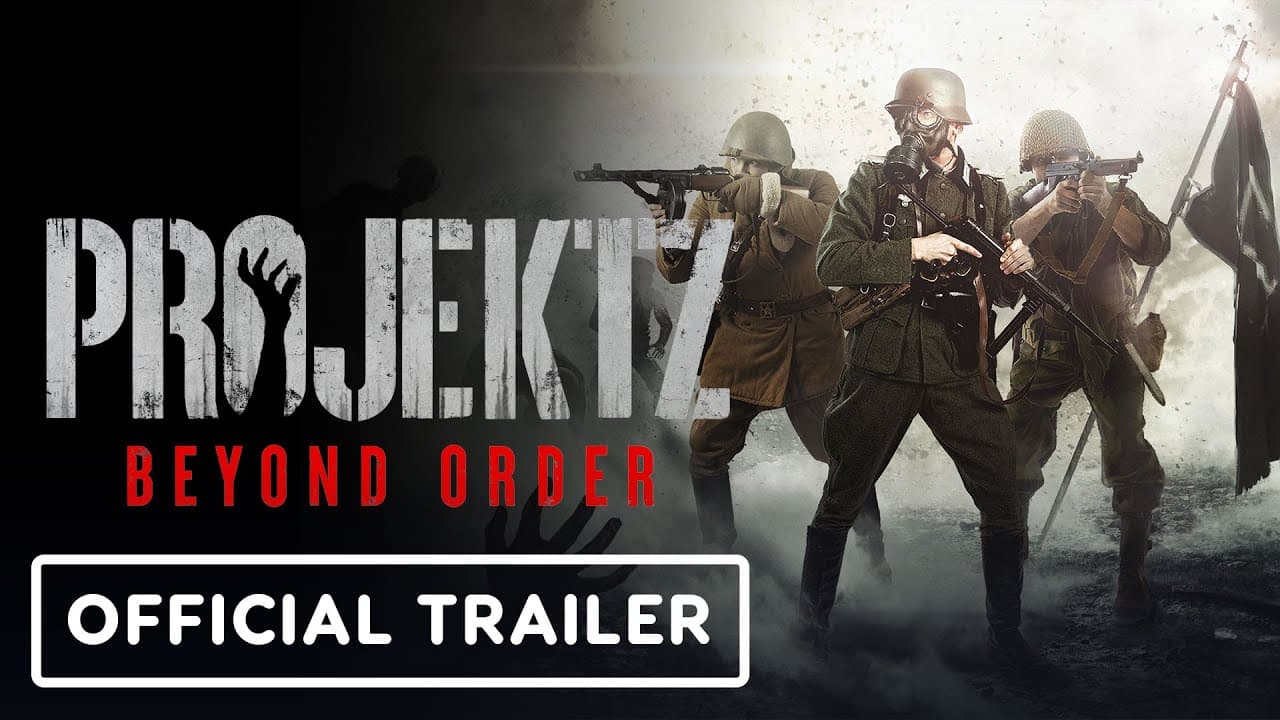
Projekt Z: Beyond Order, the first big commercial title from 314 Arts, is a four-player co-op zombie action shooter that blends cinematic storytelling with intense, team-focused gameplay.
The team set out to create a multiplatform game with strong visuals and moody lighting and environments. While they never strayed from their goal, they encountered performance challenges throughout their long development process. Here’s how they overcame them.
THE CHALLENGE:
Overcoming performance constraints while enhancing visual fidelity across multiple platforms
PLATFORM:
PC, Xbox Series X|S, PlayStation® 5
LOCATION:
Germany
PROJECT STAFF:
6
Projekt Z: Beyond Order: A Unity case study
How does a studio enhance visual fidelity while maintaining performance across platforms?
When 314 Arts brought Projekt Z: Beyond Order to multiple platforms, their motivation wasn’t just about market reach – it was also about tackling a technical challenge.
“Consoles have limited resources, so achieving our visual and gameplay goals while maintaining performance is complex – but that’s what makes it exciting,” says Justin Miersch, cofounder and game/level designer at 314 Arts. “You’re constantly optimizing, squeezing every bit of power from the hardware. Watching the game get closer to our target is incredibly satisfying.”
From the start, the team knew their ambitions would push hardware limits. “Performance was our biggest challenge,” Miersch adds. “We also wanted to show what Unity can do when pushed to its full potential.”
The results
Boosted performance from unplayable to a consistent 30 fps on Steam Deck
Increased frame rate on GTX 1060 from 30 fps to 55 fps
Gained around 2-3 ms of GPU time
Leveraging the High Definition Render Pipeline (HDRP)
From the outset, 314 Arts knew that Projekt Z: Beyond Order needed strong rendering technology to achieve its dark, cinematic atmosphere. “HDRP was crucial for us to reach our goals,” says Miersch. “We needed top quality with as much flexibility as possible, and it gave us exactly that – a future-proof solution ready for new technologies like ray tracing.”
Early adoption of HDRP gave the team access to evolving features like Screen Space Global Illumination (SSGI), Deep Learning Super Sampling (DLSS), FidelityFX Super Resolution (FSR), and Scalable Temporal Post-Processing (STP), which improved both visual quality and attainability for lower-end hardware. However, profiling revealed that shadows were the main performance bottleneck. To solve this without sacrificing quality, the team developed a custom tool – the HDRP Shadow Manager (HSM).

Projekt Z: Beyond Order | 314 Arts
HSM dynamically controls when and how the Engine renders shadows. It disables them at long distances, caches static shadows, and enables real-time rendering only when needed. It also considers shadow size, light type, and distance to maintain smooth performance, with manual tuning options to avoid pop-in. “HSM really shows what you can do with HDRP thanks to its flexibility,” says Miersch. “Next, we plan to use fake lights and shadow decals to eliminate distant lighting overhead.”
Maximilian Kube, cofounder and programmer, explains that many rendering issues stemmed from the team’s creative ambition. “It’s never about the Engine – it’s about making smart choices when it comes to visual fidelity. By optimizing volumetrics, shadows, and textures, we achieved significant gains. We reduced the volumetric fog budget, lowered shadow resolutions to 512 or 1K, and selectively scaled texture sizes.”
Building destructible levels
The team added gore to the level design to intensify the environment. They used Timeline to create and edit the animations and cinematic effects. “It was a crucial system for us. What’s most interesting to me is that we used it for more than cinematics,” says Miersch. “It came in handy in our typical level design workflows.“
Since they built their own node-based mission system, the level designers created animations in Timeline and connected them to their node editor for the missions. This allowed them to test ideas quickly.
“Once we got approvals, we updated the models inside Timeline and added some VFX and SFX to it. That really sped up mission iteration,” says Miersch.

Projekt Z: Beyond Order | 314 Arts
As game development continued, they strove to achieve a balance between visceral, satisfying visual feedback and optimal performance. “Gore is a must-have for a zombie game like ours, but frame rate is the top priority. We wanted the player to feel the impact of every hit – limbs flying off, blood spraying, visible wounds – without tanking the fps,” explains Kube.
They built a highly efficient zombie damage system that handles dozens of zombies onscreen simultaneously without stuttering. “The goal was to make every encounter feel brutal and cinematic,” Kube continues, “yet technically seamless from an Engine perspective.“
As part of their workflow, the zombie now shares one material across all damage states and remains a single skinned mesh no matter how dismembered it becomes. They share blood and other effects through an object pool to avoid expensive Instantiate and Destroy operations whenever possible.

Projekt Z: Beyond Order | 314 Arts
Improving GPU performance
As performance challenges mounted, the team enlisted Unity’s Integrated Success team for solutions. With access to premium support, they resolved most critical issues within 24 hours.
The real breakthrough for the team came from the Project Review. “Having a Unity engineer deep dive into our project for several days was a game-changer,” says Miersch.
GPU captures on an NVIDIA RTX 3090 revealed that even at 1080p, the game exceeded its frame budget. Passes like SSGI and deferred lighting scaled well, but GBuffer, shadow mapping, depth prepass, and motion vectors required optimization.
“The GBuffer pass alone took over 20% of our GPU time. PIX analysis showed that disabling Early-Z due to incorrect GPU setup caused some costly draw calls. Early-Z skips pixel shading on occluded pixels by performing the depth test before the pixel shader,” explains Kube. “Once we fixed a shader configuration that disabled Early-Z optimization, we gained around two to three milliseconds per frame.”
Shadow rendering was the next largest cost, particularly point light shadows. “We had far too many point lights updating every frame, some with fade distances up to 10,000 meters,” says Miersch. “By switching to spotlights where possible, reducing fade distances, and setting shadows to update on demand, we cut GPU usage significantly without impacting visuals.”

Projekt Z: Beyond Order | 314 Arts
Depth prepass optimizations were also important. The devs used the full depth prepass option, which rendered all meshes to populate the depth buffer. By default, HDRP limits this pass to complex materials like alpha-clipped or subsurface-scattering objects to reduce GPU workload.
“We benchmarked performance with and without full depth prepass, and also optimized LOD levels, simplified geometry, and disabled decals or subsurface scattering for distant objects,” says Kube, “all of which helped reduce overdraw without sacrificing visual quality.”
Motion vector enhancements further reduced GPU load. “The Engine was rendering many static objects unnecessarily in the motion vector pass,” explains Miersch. “By setting non-animated objects to Camera Motion Only or Force No Motion, and culling distant objects, we significantly cut GPU time without affecting visual fidelity.”
After implementing these recommendations, performance improved dramatically. The game now runs at a stable 30 fps on Steam Deck, and on a GTX 1060, frame rates jumped from 30 fps to 55 fps.
“The Integrated Success team didn’t just help us fix performance – they taught us how to understand the Engine better,” says Miersch. “Having direct access to Unity engineers and actionable insights made all the difference.”

Projekt Z: Beyond Order | 314 Arts
Optimizing CPU performance
With GPU bottlenecks under control, attention turned to the CPU pipeline. While the game is GPU-bound at 4K on a GeForce RTX 3090, at 1080p the load shifts, with the main thread spending roughly half of its 28 ms frame time on rendering. “Profiling showed that HDRP’s Render Graph and Scriptable Render Context were responsible for most of the CPU overhead,” says Miersch.
The Render Graph prepares light data, records and compiles render passes, and executes them in order, while the Scriptable Render Context handles draw commands based on culling results. Performance depends on scene lights, render passes, and draw call batches per pass.
To optimize, the team evaluated HDRP’s settings, enabling Dynamic Render Pass Culling to skip unnecessary passes and testing options like low-res transparency, distance culling, and layer-based cull distances. “By culling small objects closer to the camera, we reduced draw calls, shadow casters, and overdraw. This helped both CPU and GPU performance,” explains Miersch.

Projekt Z: Beyond Order | 314 Arts
The team’s upgrade to Unity 6 also improved CPU performance. They used the GPU Resident Drawer (GRD) feature to leverage the BatchRendererGroup API to reduce draw calls, upload less data per frame, and lower main thread blocking. “By enabling GRD, both the main and render threads saw measurable gains,” explains Miersch.
They also culled small meshes automatically using the Small-Mesh Screen-Percentage setting, which reduced draw calls from objects too small to meaningfully affect the frame.
“HDRP uses the Render Graph system extensively in its implementation, which can introduce some CPU overhead. With Unity 6, we utilized Render Graph caching, which reuses previous frame compilation results,” says Kube. “The Engine no longer needs to recompile the render graph every frame, which significantly reduces our cost.”
Through these combined optimizations, the 314 Arts team delivered substantial performance gains while bringing their ambitious creative vision to life across multiple platforms.
Download Unity Pro today
Start creating games that compete with, and surpass the quality and success of big studio releases with help from powerful tools, support, verified partners, and a vibrant community.