Accelerate 3D workflows: New collaboration and export tools in Unity Studio

Building interactive 3D applications frequently hits a hard bottleneck. Design and training teams hold a clear vision for an experience, but bringing that vision to life requires specialized coding skills and complex development cycles. Reviews happen across disconnected channels, iteration moves slowly, and scaling from a simple prototype to a fully realized production environment often forces teams to rebuild projects from scratch.
Unity Studio exists to eliminate these barriers. As an intuitive, web-based, approachable 3D editor, Unity Studio empowers teams to create and share interactive 3D applications without relying on developer resources. You can import existing 3D data, assemble interactive experiences, and share them instantly across devices.
Now, we are expanding Unity Studio to integrate seamlessly into your broader professional ecosystem. We’ve released two major updates to the Unity Studio platform: collaboration features and seamless Studio-to-Editor Export.
These updates address the friction points technical leads, creative directors, and developers face when scaling 3D production. Here’s a closer look at how these new capabilities streamline team workflows, reduce communication silos, and bridge the gap between initial ideation and advanced production.
Here’s a quick overview of what this update means for teams building 3D experiences at scale:
- New collaboration features help teams review, align, and iterate in real-time.
- In-context feedback reduces communication silos and accelerates decision-making.
- Studio-to-Editor Export enables a seamless path from rapid creation to advanced production.
Together, these updates help teams move faster without rebuilding work or overloading development teams.
Breaking down the pain points of scaling 3D
Before examining the new features, it helps to understand the core challenges these updates address. When organizations attempt to scale interactive 3D creation, they typically encounter three primary roadblocks:
- Fragmented feedback loops: Stakeholders review static renders, PDFs, or screen recordings instead of the actual interactive 3D environment. This leads to misaligned expectations and costly rework.
- Developer bottlenecks: Non-technical teams must wait in line for engineering resources just to tweak a material, adjust a lighting setup, or build a simple product configurator.
- Disconnected toolchains: Prototyping tools rarely connect directly to production engines. When a prototype needs advanced logic or custom integration, developers usually have to rebuild the entire application from the ground up inside the core engine.
The latest Unity Studio updates address these challenges directly, turning 3D creation into a shared, scalable workflow rather than an isolated, specialized process.
Unifying teams with advanced collaboration features
Interactive 3D creation is always a team effort. Creative directors need to provide visual direction, technical leads must review asset optimization, and stakeholders need to experience the product before greenlighting it. Our new Collaboration features transform Unity Studio from a single-user workspace into a shared environment where teams align instantly.
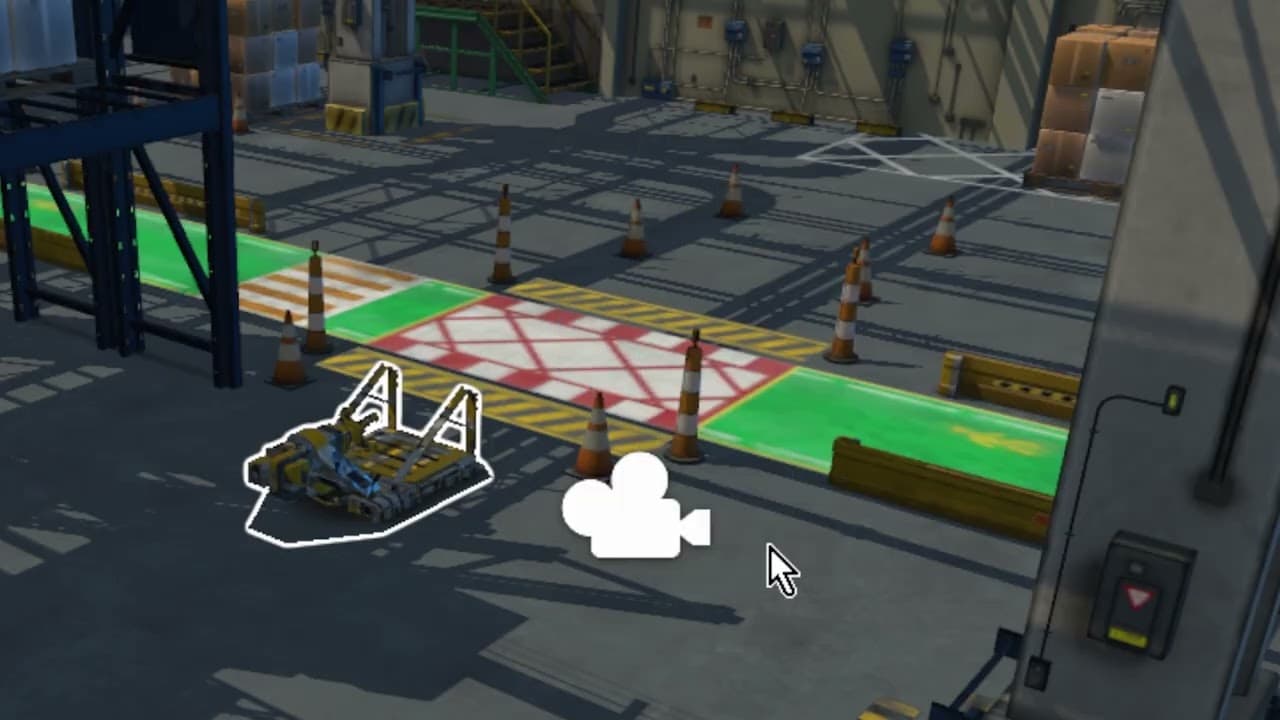
Direct 3D annotations
Gathering actionable feedback on a 3D application is often difficult when using traditional tools. Unity Studio’s new annotation system allows you to add comments, questions, and feedback directly onto specific 3D assets within the Unity Studio scene.
- Contextual clarity: Stakeholders pinpoint exactly which component needs adjustment, reducing the confusion of vague email descriptions.
- Accelerated review cycles: Design teams see the feedback right where the work happens, allowing them to iterate faster.
- Centralized communication: All project feedback lives within the Unity Studio environment, reducing the risk of lost notes or versioning issues.
Real-time multi-user editing
Waiting for a colleague to close a file before you can make a change slows down progress. Unity Studio now supports real-time collaboration, allowing multiple users to work inside the same project simultaneously.
- Live co-creation: Design and training teams can construct a scene together, adjusting layouts and logic in real-time.
- Fast alignment: Creative directors can guide layout decisions live, watching as the team updates materials and positioning on the fly.
- Reducing silos: By bringing everyone into a single, accessible web-based editor, you reduce the divide between the people requesting the content and the people building it.
These collaboration tools help your entire team stay synchronized. You move from ideation to approved interactive 3D content faster, with clarity across all departments.
Bridging the gap: Seamless Unity Studio-to-Editor export
While Unity Studio provides a robust environment for approachable 3D creation, some projects eventually require custom logic, backend integrations, or advanced performance optimizations. Historically, moving a project from an approachable entry-level tool to an advanced development engine often meant discarding the prototype and starting over.
The new Studio-to-Editor Export feature significantly changes this workflow. It creates a bidirectional, seamless bridge between the approachable web interface of Unity Studio and the capabilities of the Unity Editor.
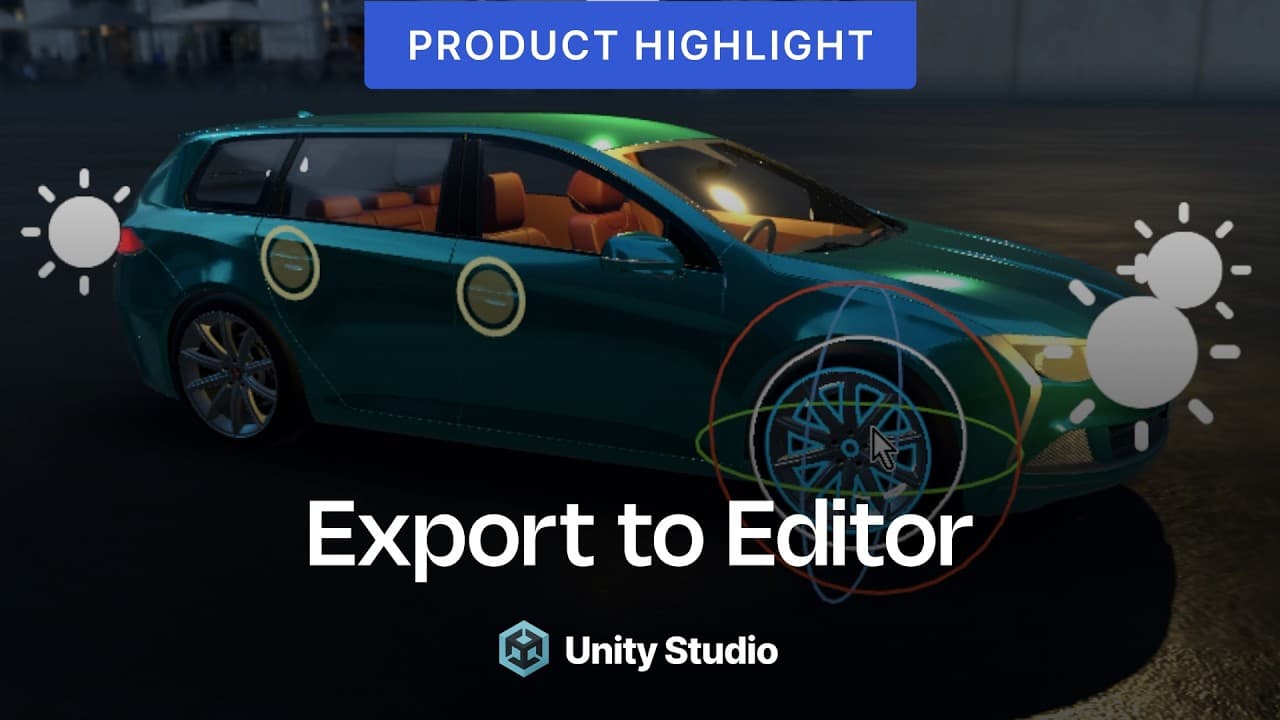
Start fast, scale without friction
Technical leads and developers often hesitate to adopt approachable tools because they expect to hit functional limits. Studio-to-Editor Export ensures that the work done by non-developers serves as a foundation developers use for the final product.
- Preserve structural integrity: Export any Unity Studio project directly into the Unity Editor. Your hierarchies, materials, lighting setups, and basic logic transfer consistently.
- Empower non-technical creators: Designers and training managers can build most of an application on their own. They lay out the facility, assign the textures, and establish the user interface without writing code.
- Optimize developer time: Developers no longer have to act as asset integrators. They take the exported project and can focus on high-value tasks, such as integrating complex APIs, writing custom C# scripts, or optimizing for specific deployment hardware.
Creating a unified ecosystem
This export capability positions Unity Studio not just as a standalone tool, but as an on-ramp into the broader Unity ecosystem. It acknowledges that true enterprise scaling requires both accessibility and extensibility.
When your organization leverages this workflow, you reduce the friction between your design and engineering departments. Teams start fast in the browser, validate their ideas with stakeholders using real-time collaboration, and then hand off a functional base project to developers for advanced execution.
Transform your 3D creation workflow today
Bringing interactive 3D ideas to life no longer always requires complex development cycles or fragmented review processes. By combining the accessibility of a web-based, approachable editor with new tools for team alignment and engine integration, Unity Studio delivers a connected workflow for the modern enterprise.
The introduction of real-time collaboration helps your creative and technical teams stay aligned, while the Studio-to-Editor Export feature supports projects as they scale in complexity without disrupting existing work. You can reduce the bottlenecks holding back your 3D initiatives.
Experience how these new capabilities can accelerate your team workflows. Start a free trial of Unity Studio today to explore the web-based editor, or dive into Unity’s documentation to see how these tools integrate with your existing pipelines.


