The hidden costs of traditional 3D tools and the smarter way to build interactive experiences

Subarna Ganguly Marshall - Unity
Contributor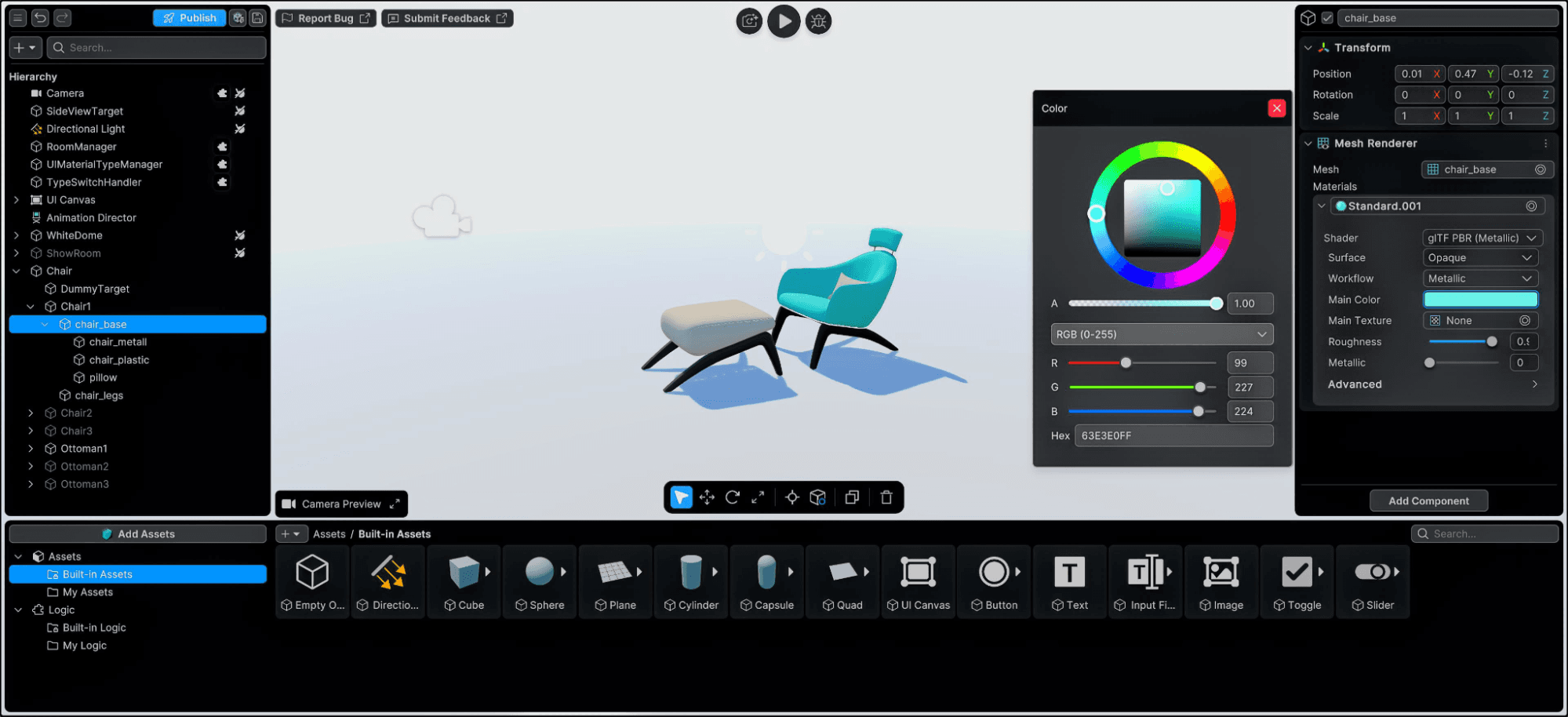
3D visualization is no longer a niche capability reserved for game studios or engineering labs. Today, designers, trainers, and industrial teams increasingly rely on 3D content to communicate complex ideas; whether it’s a product demo, a factory layout review, or an immersive training module.
Yet despite the promise of interactive 3D, many teams hesitate to adopt it.
Why?
Because the tools traditionally used to build 3D experiences often come with hidden costs: financial, operational, and organizational. What starts as an exciting initiative can quickly turn into a slow, expensive process that requires specialized development skills.
The good news: it doesn’t have to be that way.
With the rise of approachable 3D tools like Unity Studio, teams can now create interactive 3D experiences without the heavy overhead traditionally associated with real-time development.
Let’s unpack where those hidden costs come from, and how a new generation of tools is changing the equation.
The real cost of traditional 3D tools
When teams think about adopting 3D visualization software, they often focus on obvious expenses: licenses, hardware, or training.
But the true costs are often buried inside workflows.
1. The developer bottleneck
Most traditional real-time 3D tools require programming expertise. Designers and domain experts typically need to rely on developers to implement interactivity, logic, and publishing workflows.
That dependency creates friction.
A typical scenario might look like this:
- A designer prepares CAD or 3D assets.
- A developer imports them into a 3D engine.
- Interactions are coded manually.
- A build is generated and shared.
- Feedback comes in and the process starts again.
Each iteration requires developer time.
In organizations where developers are already stretched across multiple projects, this can create a serious bottleneck. Instead of experimenting freely, teams wait days, or sometimes weeks, for small updates.
The result? Slower innovation and higher costs.
2. Long iteration cycles
Design work thrives on rapid iteration.
Whether you're validating an automotive HMI concept, creating a training module, or preparing a product launch demo, feedback loops are critical.
But traditional 3D pipelines tend to slow that process down:
- Assets must be exported and optimized
- Developers rebuild applications
- Stakeholders review static builds
- Changes require another full iteration
A single design update can take days instead of minutes.
For industries like manufacturing, architecture, and training, this can mean delays in decision-making, slower product launches, and lost productivity.
3. Expensive software ecosystems
Many teams also underestimate the stack of tools required to produce interactive 3D experiences.
A usual workflow might involve:
- CAD or BIM tools
- Rendering software
- 3D engines development environments
- Deployment tools
- Collaboration platforms
Each tool comes with licensing costs, integration complexity, and training requirements.
Even when organizations already have strong design capabilities, using traditional software packages, the step into interactive 3D often requires entirely new technical expertise.
That’s a significant barrier, especially for teams focused on design or training, rather than software development.
4. Gap between static design and real-time 3D
This is where many teams find themselves, unavoidably stuck between two less-than-ideal options.
On one side are static assets such as:
- Rendered images
- Videos
- Interactive PDFs
- Slide presentations
These formats are easy to produce but limited in their ability to communicate complex spatial concepts.
On the other side are advanced real-time tools, which offer incredible capabilities but require specialized development knowledge.
For many organizations, neither option is ideal.
What they need is something in between: an approachable way to build interactive 3D without the complexity of full-scale development pipelines.

Unity Studio welcome window. Guide to real-time 3D.
A game-changing new approach: Interactive 3D without coding
This is exactly the gap Unity Studio was designed to fill.
Unity Studio is a web-based approachable 3D editor that allows teams to create interactive 3D experiences quickly without programming or complex workflows.
Instead of relying on developers, designers and domain experts can:
- Import CAD or 3D assets
- Build scenes using drag-and-drop tools
- Add interactivity through visual logic
- Share experiences instantly across devices
All from a web browser.
The goal is simple: make interactive 3D accessible to the people who understand the content best.
Faster feedback, faster decisions
One of the biggest advantages of an approachable 3D workflow is dramatically faster iteration cycles.
Because Unity Studio removes the need for manual coding and build processes, teams can:
- Quickly test ideas
- Share interactive scenes with stakeholders
- Adjust content based on feedback
- Publish updates instantly
Shorter feedback loops mean better decisions and faster project completion.
Imagine an industrial design review where engineers and designers explore the same 3D model together without waiting for a developer to rebuild the experience. Or a training team that updates an interactive procedure in hours rather than weeks.
That is a true paradigm shift for creators.

Unity Studio animation timeline in training template. Guide to real-time 3D.
Turning existing CAD Data into interactive experiences
Another major barrier to interactive 3D adoption has traditionally been data preparation.
Industrial teams work with complex CAD and BIM models that aren’t always easy to convert into real-time experiences.
Unity Studio addresses this by supporting 70+ file formats and automatically transforming complex models into usable assets for interactive scenes.
That means teams can:
- Convert CAD models into web-based 3D viewers
- Create interactive product demos
- Build training simulations
- Prototype factory layouts
- all using the same data they already have.
By enabling teams to explore, validate, and present designs in interactive 3D, Unity Studio also reduces the need for costly physical prototypes, helping cut both production expenses and the time required to bring ideas to life.
Instead of rebuilding assets from scratch, teams can extend the value of existing design data.

Unity Studio templates. Guide to real-time 3D
Real-world scenarios where the savings add up
To understand the impact, let’s look at a couple of common scenarios.
Training and instructional design
- Traditional approach:
Training content is delivered through manuals, videos, or static diagrams. Updating materials can be slow and expensive.
- With Unity Studio:
Instructional designers can create interactive training modules and 3D manuals where users explore equipment, procedures, or environments directly.
This improves engagement while reducing production timelines.
Design reviews and prototyping
- Traditional approach:
Teams review screenshots, renders, or physical prototypes. Iterations require new assets or builds.
- With Unity Studio:
Designers can create interactive prototypes and share them instantly for feedback helping teams validate concepts earlier in the design process, and significantly reduce costs associated with physical prototyping.

Unity Studio bike configurator. Guide to real-time 3D
Built for designers, not developers
One of the most important factors behind Unity Studio is who it empowers.
Instead of relying on engineering teams, Unity Studio puts interactive 3D creation directly in the hands of:
- 3D designers
- Visualization artists
- Training content developers
- Industrial engineers
- Innovation managers
and many more roles.
These professionals already understand the product, the training workflow, or the design challenge.
Now they can bring those ideas to life in interactive 3D without needing to write code - all directly from a web browser.

Unity Studio assets included in the Industry library. Guide to real-time 3D
The future of accessible 3D creation
Interactive 3D is becoming essential across industries, from automotive and manufacturing to healthcare and education.
But widespread adoption depends on removing the barriers that have traditionally slowed teams down.
By simplifying workflows, eliminating developer dependencies, and integrating with existing design data, Unity Studio makes interactive 3D creation accessible to far more teams.
And when more people can create in 3D, organizations unlock entirely new ways to communicate ideas, collaborate across disciplines, and accelerate innovation.
Because the future of 3D isn’t just about powerful tools.
It’s about making those tools usable by everyone who has an idea worth visualizing.
Ready to experience interactive 3D without the complexity?
See what your team can build.
No coding. No heavy setup. Just fast, accessible 3D creation.
Start your 30-day Unity Studio trial and begin creating interactive 3D experiences today.


