Optimize a complex car model with Asset Transformer Toolkit 3.2
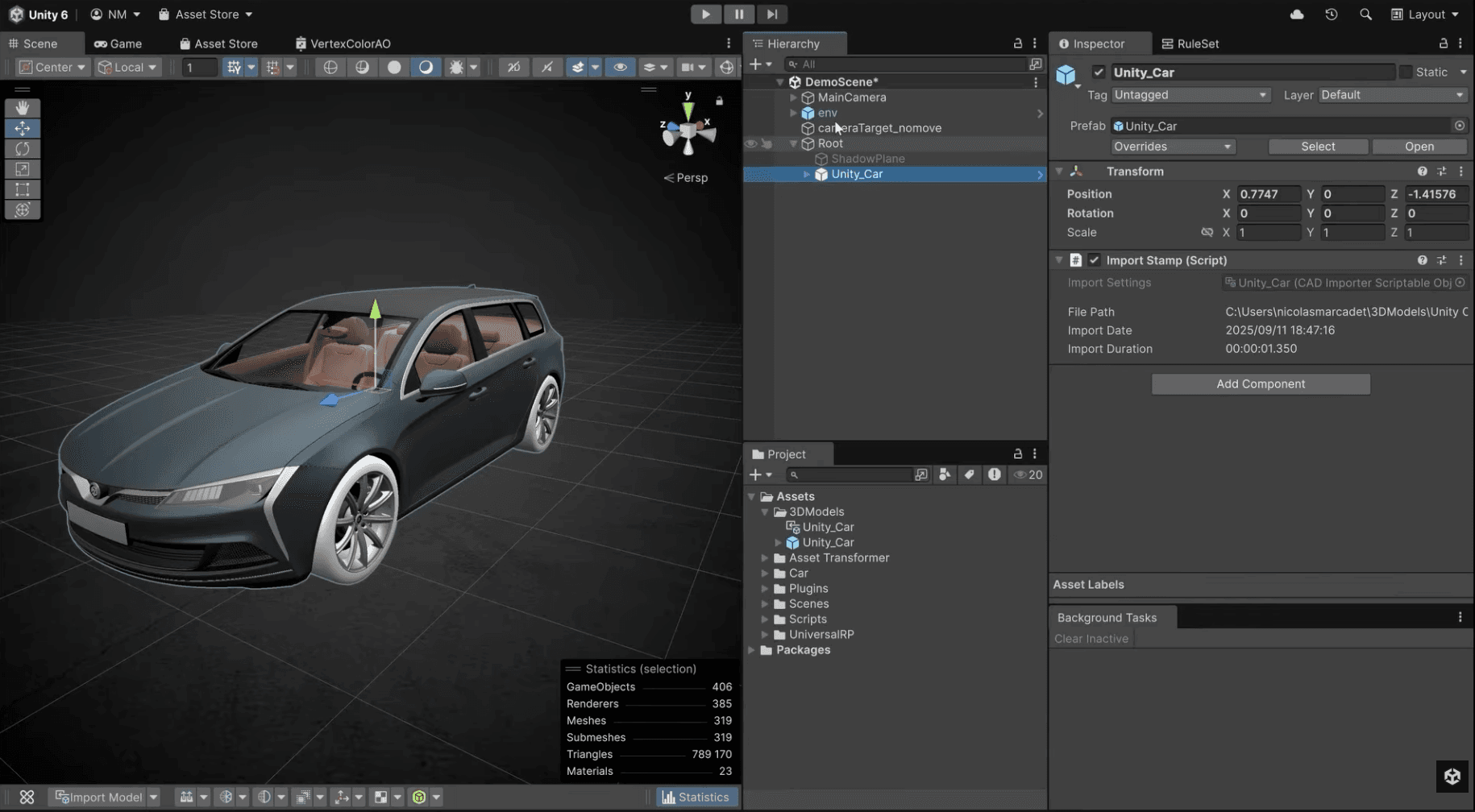
This page provides answers to frequently asked questions about using the Asset Transformer Toolkit 3.2 and the Rule Engine to prepare and optimize 3D models, specifically for Human-Machine Interface (HMI) applications in Unity.
Discover how to use a series of rules to streamline asset optimization by removing unnecessary data, decimating meshes to improve performance, baking ambient occlusion for enhanced realism, and swapping materials for project-specific visuals.
This workflow allows you to prepare a runtime-ready car model directly within Unity, eliminating the need for external tools and ensuring your assets are performant and visually compelling.
How can I reduce the memory footprint of a mesh?
You can optimize a mesh's RAM footprint by removing unnecessary data, such as UVs. Using the Rule Engine in the Asset Transformer Toolkit, you can set up a rule specifically for this task.
- Create a Rule: The first step is to establish a rule to remove UVs from the model.
- Apply filters: To prevent essential parts of the model from being affected, such as car license plates that require textures, you can apply filters. These filters allow you to exclude specific meshes from the UV removal process, ensuring that only non-essential UVs are stripped out to save memory.
(0:19) - This section shows how to remove UVs
(0:24) - This part shows how to exclude car plates from your car model using filters
What is mesh decimation and how do I use it for optimization?
Mesh decimation is the process of reducing the polygon count of a model to improve performance, which is critical for real-time applications like HMIs. The Asset Transformer Toolkit allows you to automate this process.
Here’s how you can achieve that:
- Set a target: You can create a rule to decimate the meshes and set a specific triangle count target. For example, you can aim for a total of 400,000 triangles for the entire car model.
- Preserve quality: The tool's decimation algorithm is designed to reduce the triangle count while preserving the model's overall visual fidelity, ensuring that the optimized asset still looks high-quality at runtime.
(0:27) - This section covers how to decimate meshes
(0:31) - This part of the video covers how to set the triangle count
How can I add realism with ambient occlusion without using texture maps?
To add depth and realism efficiently, you can bake ambient occlusion (AO) information directly into the mesh's vertex colors instead of using traditional texture maps. This method enhances visual quality while improving performance by reducing texture memory usage.
- Bake AO to vertex colors: Create a rule in the Rule Engine to bake ambient occlusion
- Store in vertex colors: Configure the rule to store the resulting AO data in the vertex colors of the mesh. This technique is more performant as it avoids the overhead associated with loading and sampling texture maps at runtime.
(0:39) - This section covers baking ambient occlusion
(0:42) - This section covers storing ambient occlusion in Vertex Colors for better performance
How do I replace existing materials with project-specific ones?
The Asset Transformer Toolkit enables you to swap out a model's default materials with a new set of materials that are optimized for your project, such as those tailored for HMI displays.
- Use the "Switch Materials" action: Create a rule that uses the Switch Materials action. This allows you to replace the imported materials with a different set of materials already present in your Unity project.
- Final touches: After the materials are swapped, you can perform additional setup, like placing other scene elements such as dropdown shadows under the model to complete the integration. The final result is a fully prepared and optimized model ready for HMI runtime.
(0:51) - See the Switch Materials in action
(1:00) - This section shows you how to place dropdown shadows
(1:05) - This part shows the HMI-ready car at runtime